Category: AI tools

  • Free AI Tools for Content Creation in 2026 – No Credit Card, No Paywall

    Free AI Tools for Content Creation in 2026 – No Credit Card, No Paywall

    Table of Contents

    Free AI Tools for Content Creation
    Free AI Tools for Content Creation

    Creating great content shouldn’t cost a fortune. Between blog posts, social media, videos, and podcasts, the average creator is being asked to do more with less — and most “free” AI tools out there are either time-limited trials, watermarked, or so restricted they’re barely usable.

    I tested over 50 AI tools to find the ones that are genuinely free in 2026: no credit card required, no hidden paywalls, and enough free usage to do real work. The result is this guide on the best free AI tools for content creation — organized by what they actually do, with exact free-tier limits and honest notes on where each tool draws the line.

    Whether you write blog posts, make YouTube videos, or manage social media for a small business, there is a free tool here that fits your workflow.

    What Are Free AI Tools for Content Creation?

    Free AI tools for content creation are software apps that use artificial intelligence to help you write, design, edit, record, or schedule content — without charging you upfront. They span everything from chatbots that draft blog posts to image generators that produce graphics in seconds.

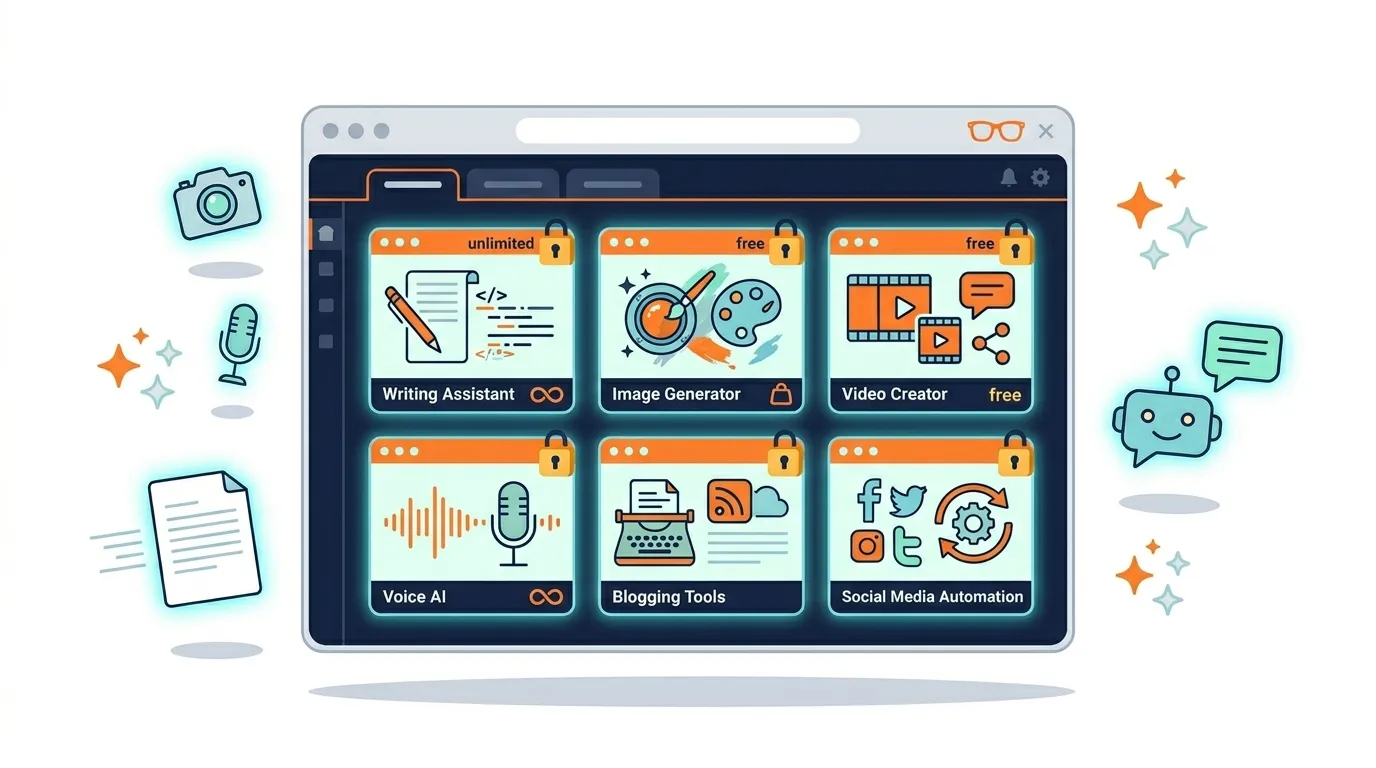
    In 2026, the category includes six main types: writing assistants, image generators, video editors, audio tools, social media schedulers, and SEO research tools. Together, these tools can cover an entire content workflow from idea to publish — at zero cost.

    The key word, however, is genuinely free. Many apps advertise a free plan but restrict core features behind a paywall within minutes of use. This guide focuses on tools where the free tier is actually useful for real work, not just a teaser.

    Why Free AI Tools Matter in 2026

    The content game has changed faster than most people expected. Two years ago, creating a polished YouTube video, a well-researched blog post, and a week of social media content took either a team or a big budget. Today, a solo creator with the right free tools can produce the same volume — and often at comparable quality.

    According to Artlist’s AI Trend Report 2026, 87% of creators have shifted to AI-assisted workflows. That shift happened partly because the tools got better, and partly because so many of them stopped costing anything to try. The barrier to professional-level content has collapsed, and that is genuinely good news for small businesses, freelancers, and anyone starting from scratch.

    The problem, though, is that “free” has become a marketing word more than an accurate description. Some tools claim to be free but lock every useful feature behind a Creator or Pro plan within three messages. Others offer a generous free tier for the first month, then tighten limits quietly.

    Because of this, the tools in this guide were selected using one simple test: can you do real, publishable work on the free tier? If the answer is yes, it made the list. If the free version is basically a demo, it didn’t.

    How We Tested and Selected These Free AI Tools

    Every tool in this guide was evaluated against four criteria. First, the free tier had to be genuinely accessible — no credit card required, no automatic trial countdown. Second, the free output had to be usable for real content: a full blog post, a publishable image, or a shareable video. Third, the core features had to be available without paying. And fourth, each tool had to be updated and actively maintained in 2026, not abandoned software riding on old reviews.

    Tools that failed any of these tests were removed, regardless of how well-known they are. A few popular names didn’t make the cut for exactly that reason.

    Free vs. Freemium vs. Trial: What “Free” Actually Means

    Before diving into the tools, it’s worth being clear about what “free” actually means, because there are three very different things hiding behind that word.

    Truly Free (No Catch)

    These tools are free forever with no usage limit that blocks basic functionality. Google Lens, Bing Image Creator (after boosts slow down), and Adobe Podcast Enhance fall into this category. There are no subscription popups, no credit systems that run dry mid-project, and no watermarks on exports.

    Freemium (Free Tier With Limits)

    Most of the best tools fall here. ChatGPT, Claude, Canva AI, Leonardo AI, and Descript all offer genuinely usable free tiers — but with caps. You might get 150 AI image tokens per day, or 60 minutes of transcription per month, or rate limits on chatbot messages. However, the free allowance is enough to do real work if you are not trying to run a full-scale agency on it.

    Free Trials (Temporary Access)

    These are not free tools. Jasper, for example, gives you a trial that unlocks most features — then locks them behind a $39/month Creator plan once the trial ends. Similarly, InVideo AI’s free plan adds a visible watermark to every export, which makes it unsuitable for published work. If a tool’s primary goal is to convert you to paid, it belongs in the trial category regardless of how it’s marketed.

    Quick Comparison Table (All 15 Tools)

    ToolCategoryFree TierBest ForWatermarkCommercial Use
    ChatGPTWritingGPT-5.2 w/ rate limitsBlog posts, scripts, captionsNoYes (text)
    ClaudeWritingClaude 3.5 Sonnet w/ limitsLong-form articles, summariesNoYes
    Google GeminiWritingGemini 1.5 FlashGoogle Workspace contentNoYes
    Copy.aiWriting~2,000 words/monthSocial captions, ad copyNoNo (free)
    WritesonicWriting~2,500–5,000 words/monthBlog posts, landing pagesNoNo (free)
    Canva AIImage200 Standard uses/monthSocial graphics, thumbnailsNoYes
    Adobe FireflyImage25 credits/monthCommercial-safe imagesNoYes
    Leonardo AIImage150 tokens/day (~30 images)High-quality images, mockupsNoYes
    CapCut AIVideoFull editor, most exports freeTikTok, Reels, Shorts, YouTubeNoYes
    Canva Video AIVideoCounts toward monthly limitReels, Shorts, presentationsNoYes
    ElevenLabsAudio10,000 chars/monthVoiceovers, podcast introsNoNo (free)
    Adobe Podcast AIAudioFree with Adobe accountNoise reduction, enhancementNoYes
    Buffer AISocial3 channels, 10 posts/queueScheduling, captionsNoYes
    Metricool AISocial1 brand, 50 posts/monthMulti-platform schedulingNoYes
    Perplexity AISEO/ResearchUnlimited core searchesResearch, content planningNoYes

    The Best Free AI Tools for Content Creation in 2026

    Below are the 15 best free AI tools organized by what they do. Each section covers what is genuinely free, what is locked behind a paywall, the best use case, and output quality — so you know exactly what you are getting before you sign up.

    AI Writing Tools

    Writing tools are the category most content creators reach for first, and for good reason. A good AI writing assistant can cut drafting time by half or more. These five tools offer the most usable free tiers for blog posts, social captions, email newsletters, and video scripts.

    1. ChatGPT (OpenAI)

    What’s genuinely free: Access to GPT-5.2 with rate limits, plus GPT-4o Mini as a fallback. The free tier also includes web search, image uploads, basic image generation via DALL·E 3, and access to the GPT Store.

    What’s locked (Plus $20/mo): Higher rate limits, priority access during peak hours, and consistent access to the most capable models without fallback.

    Best use: Blog post drafts, social media captions, email newsletters, YouTube scripts, and brainstorming. Custom GPTs in the store let you set up reusable templates for your specific content types.

    Output quality: Excellent. For most general writing tasks, ChatGPT on the free tier produces strong, editable drafts with the right prompt. Long-form content is supported, though heavy sessions will hit rate limits.

    Brand voice on free: Partially. You can guide tone through prompts, and Custom GPTs allow you to embed reusable instructions — though creating custom GPTs is easier on paid plans.


    2. Claude (Anthropic)

    What’s genuinely free: Claude 3.5 Sonnet with dynamic usage limits. As of 2026, the free tier also includes file creation (PowerPoint, Excel, Word, PDF from conversations), limited Google Workspace connectors, and Skills — reusable custom instruction sets that previously required a paid plan.

    What’s locked (Pro ~$20/mo): Higher and more consistent usage limits, priority access during peak times, and faster response speeds.

    Best use: Long-form articles, document summarization, repurposing transcripts or webinars into written content, and nuanced writing where tone and coherence over thousands of words matter.

    Output quality: Excellent, particularly for long-form. Claude handles extended context exceptionally well, which means a 3,000-word article stays coherent from start to finish — something shorter-context models struggle with.

    Brand voice on free: Partially. The Skills feature (now available on free) lets you create reusable prompt templates that function like a brand voice library.


    3. Google Gemini

    What’s genuinely free: Gemini 1.5 Flash with rate limits, plus web search integration, image uploads, and Google Workspace integration (Gmail, Docs, Drive).

    What’s locked (Gemini Advanced ~$20/mo): Access to Gemini Ultra, higher rate limits, and deeper agentic Workspace integration.

    Best use: Drafting directly inside Google Docs, summarizing emails in Gmail, researching topics while keeping content in your existing Google workflow. For creators already living in the Google ecosystem, Gemini is the most seamless free option.

    Output quality: Good to Excellent. Slightly behind ChatGPT and Claude for creative writing, but strong for structured content and research-based drafting.


    4. Copy.ai

    What’s genuinely free: Approximately 2,000 words per month, a Content Idea Generator, an Email Subject Line Generator, and access to basic templates for social posts, ads, and blog ideas. No credit card required.

    What’s locked (Pro ~$36/mo): Higher word limits, advanced workflows, brand voice customization, and collaboration features.

    Best use: Social media captions, email subject lines, ad copy, and quick blog idea generation. The free tier is genuinely useful for short-form content, though it runs dry quickly on long-form articles.

    Output quality: Good. Copy.ai’s strength is marketing-flavored short copy. It’s less ideal for nuanced editorial writing.


    5. Writesonic

    What’s genuinely free: Approximately 2,500–5,000 words per month, access to Article Writer and Landing Page templates, and basic SEO features.

    What’s locked (Starters ~$19/mo): Higher word limits, full GPT-4 access, brand voice, and SERP-based SEO mode.

    Best use: Blog posts, landing pages, ad copy, and product descriptions. Among the dedicated writing tools (not general chatbots), Writesonic offers the most usable free word allowance for article-length content.

    Output quality: Good to Excellent, especially for SEO-oriented content. Quality improves significantly with detailed prompts.

    AI Image and Graphic Tools

    Professional-looking visuals used to require a designer or a stock photo subscription. Now, the free tier of several AI image tools produces social media graphics, blog featured images, and product mockups in under a minute. These four tools are the most usable at zero cost.

    6. Canva AI

    Free image limit: 200 uses for Standard AI tools per month, or 20 uses for Premium AI tools. Resets monthly.

    Watermark on free: No.

    Commercial use: Yes — Canva Free allows commercial use for most AI-generated designs.

    Best for: Social media graphics, blog featured images, YouTube thumbnails, and product mockups. Canva’s template library makes it the fastest tool on this list for non-designers who want a polished result without starting from scratch.

    Ease of use: Very easy. Drag-and-drop interface, AI fills in or adjusts visuals based on a text prompt.


    7. Adobe Firefly

    Free image limit: 25 generative credits per month, resetting automatically.

    Watermark on free: No.

    Commercial use: Yes — Firefly is trained exclusively on Adobe Stock images, which means outputs are commercially safe with no copyright grey areas. This makes it the most legally defensible free image generator on this list.

    Best for: Any content where commercial use is a concern — brand visuals, product images, blog headers. Firefly also handles text effects and generative fill (editing within an existing image) particularly well.


    8. Bing Image Creator (Microsoft Designer)

    Free image limit: 15 priority boosts per week. After boosts run out, generation continues but more slowly — making it essentially unlimited for patient users.

    Watermark on free: No.

    Commercial use: Yes, for most standard use cases (check Microsoft’s current terms for edge cases).

    Best for: Quick blog featured images, social graphics, concept art, and thumbnails. The prompt-to-image workflow is the simplest of any tool here — just type and wait about ten seconds.


    9. Leonardo AI

    Free image limit: 150 tokens per day, which translates to roughly 30 high-quality images. Resets daily.

    Watermark on free: No.

    Commercial use: Yes (check current terms).

    Best for: High-quality images comparable to paid tools like Midjourney, character design, product mockups, and detailed blog featured images. Leonardo gives you more control over style, resolution, and rendering than Canva or Bing — making it the better option for creators who want to fine-tune their visuals.

    AI Video Tools

    Video is the hardest content type to produce at scale, and also the one where AI tools have made the biggest practical difference. These tools handle editing, captions, background music, and even script-to-video conversion — several without adding a watermark on free exports.

    10. CapCut AI

    Free plan: Full video editor with AI features. Most exports are watermark-free on the free plan. No hard length limit on most videos.

    Watermark on free exports: No (for standard exports).

    Best use: Short-form social video for TikTok, Instagram Reels, and YouTube Shorts. CapCut also handles longer YouTube videos well. Auto-captions, background removal, and AI voice cloning are available on the free tier — features that would cost $30–$50 per month on dedicated tools.

    Quality: Excellent. CapCut is widely considered the most capable free AI video editor in 2026, subsidized by ByteDance’s enterprise revenue.


    11. Canva Video AI

    Free plan: Video creation and editing tools with AI features. Usage counts toward Canva’s monthly AI limit (200 Standard uses).

    Watermark on free exports: No.

    Best use: Social media video posts, presentation-style videos, and simple animated graphics. Canva Video is less powerful than CapCut for editing, but far easier for creators who want to turn a Canva design into a short animated clip without switching apps.

    AI Audio and Podcast Tools

    Audio content — podcasts, voiceovers, video narration — used to require a proper studio or an expensive freelancer. These three free tools handle most of what creators need: voice generation, transcription, and audio cleanup.

    12. ElevenLabs

    Free plan: 10,000 characters per month (roughly 10 minutes of audio) and up to 3 custom voices.

    Watermark on free audio: No audio watermark, but commercial rights are not included on the free tier. Attribution to ElevenLabs is required.

    Best use: Voiceovers for short YouTube videos or social content, podcast intros, and audiobook samples. The voice quality on the free tier is genuinely excellent — indistinguishable from human narration in most cases.


    13. Adobe Podcast AI (Enhance)

    Free plan: Free to use with an Adobe account. Limited by file size and duration per upload.

    Watermark on free exports: No.

    Commercial use: Yes.

    Best use: Cleaning up audio recorded in a noisy environment. Adobe Podcast Enhance removes background noise, hum, and reverb from a recorded voice file in seconds. Upload a rough recording, and it comes back sounding like a professional studio take. This is one of the most underrated free tools in this entire list.


    14. Otter.ai

    Free plan: 300 transcription minutes per month, with a 30-minute cap per individual conversation.

    Best use: Transcribing interviews, meetings, podcast recordings, and lectures. Otter’s automated summary feature is particularly useful for podcast creators who want to turn a 45-minute conversation into a five-point show notes document without listening back to the full recording.

    AI Social Media Tools

    Scheduling content across multiple platforms is one of the most time-consuming parts of a content workflow. These two tools handle it on the free tier, along with AI-generated captions and hashtag suggestions.

    Buffer AI

    Free plan: 3 social channels, up to 10 posts per channel in queue, and basic AI caption generation.

    Platforms: Instagram, Facebook, Twitter/X, LinkedIn, TikTok.

    Best use: Solo creators and small businesses who want a simple, reliable free scheduler without analytics complexity. Buffer’s AI caption suggestions are functional rather than impressive — they give you a starting point, not a finished post.


    Metricool AI

    Free plan: 1 brand, 50 posts per month, and AI-powered post suggestions across 6 platforms.

    Platforms: Instagram, Facebook, Twitter/X, LinkedIn, TikTok, YouTube.

    Best use: Creators who want both scheduling and basic analytics on the free tier. Metricool shows you post performance, best times to publish, and competitor benchmarks — all without paying. For the free plan, it is the most capable social media tool on this list.

    AI SEO and Research Tools

    Good content needs to be found. These three tools help with keyword research, content planning, and on-page optimization — at least enough to inform a solid strategy without a paid SEO subscription.

    Perplexity AI

    Free plan: Unlimited searches with core models, web search integration, and file uploads (5MB per file, 3 per day).

    Best use: Research for blog posts, finding what questions your audience is actually asking, analyzing competitor content angles, and building content outlines based on real-time search data. Perplexity cites every source, which makes fact-checking faster and more reliable than using a standard chatbot for research.


    Surfer SEO (Free Features)

    Free plan: Limited free audits and a basic SERP analyzer.

    Best use: Running a quick content audit on an existing post, or getting a rough sense of how your content compares to top-ranking competitors before publishing. The free tier is very limited, but the specific data it provides (keyword recommendations, content score) is genuinely useful for a quick health check.


    Semrush AI (Free Tier)

    Free plan: 10 queries per day for keyword research and competitor analysis.

    Best use: Spot-checking keyword difficulty and search volume before writing a new post. Ten queries per day is enough for a focused research session if you know what you’re looking for. It is not enough for deep keyword strategy — but as a quick validation tool, it does the job for free.

    The Complete Free Content Creation Workflow (Step-by-Step)

    Most tool lists stop at the list. Here is what the lists leave out: how to actually combine these tools into a repeatable workflow that produces a week’s worth of content without paying for anything.

    The following seven-step process takes a blog post from idea to multi-platform distribution using only free tools. In practice, this workflow saves roughly 8–10 hours per content campaign.

    StepTaskFree ToolOutputTime Saved
    1Research & topic planningPerplexity AITopic list + keyword ideas~2 hours
    2Draft the blog postClaude2,000+ word article draft~3 hours
    3SEO optimize the draftSurfer SEO (free audit)Keyword recommendations + content score~1 hour
    4Create featured imageCanva AI or Leonardo AIBlog header image~30 min
    5Repurpose into social postsChatGPTLinkedIn post + Twitter thread + Instagram caption~1 hour
    6Create short-form videoCapCut AI60-second Reel or Short~2 hours
    7Schedule social postsMetricool AI7-day publishing schedule~30 min

    How Each Step Works in Practice

    Step 1 — Research with Perplexity AI: Start every piece of content by searching your topic in Perplexity. Unlike ChatGPT, Perplexity searches the live web and cites every source, which means you get current information with links to verify. Use it to find what questions people are actually asking and which angles competitors haven’t covered yet.

    Step 2 — Draft with Claude: Paste your research notes and outline into Claude and ask it to write a full draft. Claude handles long-form content better than most free tools because it maintains context and tone across thousands of words without losing coherence. A solid prompt gets you a 2,000-word draft in under two minutes.

    Step 3 — Optimize with Surfer SEO: Run the draft through Surfer’s free content audit. Even the free tier gives you a content score and a list of recommended keywords you may have missed. Add these naturally to the draft before publishing.

    Step 4 — Create visuals with Canva AI or Leonardo AI: Generate your featured image using Canva’s Magic Media (for a template-based result) or Leonardo AI (for a more detailed, custom image). Both are free, both produce no watermarks, and both allow commercial use.

    Step 5 — Repurpose with ChatGPT: Paste your published blog post into ChatGPT and ask it to generate platform-specific social content: a LinkedIn article excerpt, a Twitter thread, and an Instagram caption. This turns one piece of content into five or six without writing anything new.

    Step 6 — Film with CapCut AI: Record yourself talking through the three main points of your blog post (even on a phone), then edit in CapCut. Use the auto-caption feature, add background music from CapCut’s free library, and trim to 45–60 seconds. The result is a Reel or Short that drives traffic back to the original post.

    Step 7 — Schedule with Metricool AI: Load all your social posts into Metricool’s free scheduler, set the times based on Metricool’s “best time to post” suggestions, and let the tool publish automatically across all platforms.

    Best Free Tool by Content Type (Quick Reference)

    If you want one tool per category rather than a full workflow, here is the short answer for each content type:

    Content TypeBest Free ToolWhy It Wins
    General writingChatGPTBest overall quality + most features on free tier
    Long-form articlesClaudeBest coherence across 2,000+ word drafts
    Images (general)Canva AIEasiest + commercial-safe + template library
    Images (quality-first)Leonardo AI30 high-quality images per day, no watermark
    Short-form videoCapCut AINo watermark, full AI editor, excellent quality
    Audio cleanupAdobe Podcast AIBest noise reduction of any free tool
    TranscriptionOtter.ai300 minutes/month, automatic summaries
    Social schedulingMetricool AI50 posts/month across 6 platforms
    Research & SEOPerplexity AIUnlimited searches with cited, real-time sources

    When to Upgrade From Free to Paid

    Free tools are genuinely enough for most individual creators. However, there are four specific situations where upgrading makes practical sense.

    You’re hitting daily or monthly limits before finishing your work. If you regularly run out of ChatGPT messages before completing a project, or Canva AI credits before finishing your content batch, the free tier is no longer saving you time — it’s costing it. Upgrading to remove those limits pays for itself quickly.

    You need commercial rights to audio or voice. ElevenLabs’s free tier produces excellent audio but does not grant commercial rights. If you’re monetizing a podcast, YouTube channel, or client video, you need the paid tier — or a different tool.

    You need watermark-free video exports from a text-to-video tool. CapCut’s free exports are clean, but more advanced tools like InVideo AI add a watermark on free. If you need the text-to-video features of these platforms for published work, upgrading is the only real option.

    You need brand voice consistency across a team. Free tiers rarely include saved brand voices or team collaboration features. As a result, if you are managing content for a team or client, tools like Jasper (Creator plan) or Copy.ai (Pro) become worth the cost purely for consistency and time saved on rewrites.

    FAQ: Free AI Tools for Content Creation

    What are the best free AI tools for content creation?

    The best free AI tools for content creation in 2026 are ChatGPT (general writing), Claude (long-form articles), Canva AI (images and graphics), CapCut AI (video editing), Adobe Podcast Enhance (audio), Metricool AI (social scheduling), and Perplexity AI (research). All offer genuinely usable free tiers with no credit card required.

    Is there a truly free AI content generator?

    Yes. ChatGPT, Claude, and Google Gemini are all truly free — no credit card, no trial countdown. They provide access to capable AI models with rate limits, but the free allowance is enough for blog posts, social captions, and email content. Bing Image Creator is also genuinely free for image generation with no visible watermark.

    What AI tools are free for writing content?

    The best free AI writing tools are ChatGPT (excellent quality, long-form support), Claude (best for 2,000+ word articles), Google Gemini (ideal for Google Workspace users), Copy.ai (free tier for short-form copy), and Writesonic (2,500–5,000 free words per month for articles). All are accessible without a paid plan.

    What AI tools are free for image generation?

    The best free AI image generators are Canva AI (200 uses per month, commercial-safe), Adobe Firefly (25 credits per month, commercially safe, no watermark), Bing Image Creator (15 boosts per week, then slower but unlimited), and Leonardo AI (150 tokens per day, roughly 30 high-quality images). None of these add watermarks on the free tier.

    What AI tools are free for video editing?

    CapCut AI is the strongest free AI video editor — no watermark, no hard length limit, full editing features, and excellent AI auto-captions. Canva Video AI is a solid alternative for creators already using Canva. More advanced text-to-video tools like InVideo AI include a watermark on free exports, which limits their usefulness for published content.

    Can I use free AI tools commercially?

    It depends on the specific tool and content type. Canva AI, Adobe Firefly, and Bing Image Creator allow commercial use of generated images on the free tier. ElevenLabs and Descript do not grant commercial rights for audio on free plans. ChatGPT’s free tier allows commercial use of text but not DALL·E-generated images. Always verify current terms before using AI-generated content in commercial projects.

    What free AI tools do YouTubers use?

    YouTubers commonly combine ChatGPT (scripts), Claude (video outlines and long-form research), Canva AI (thumbnails), CapCut AI (editing), and Otter.ai or Adobe Podcast AI (transcription and audio cleanup). Together, these five free tools cover the full YouTube content workflow from scripting to final export.

    What free AI tools work best for small businesses?

    For small businesses, the most practical free stack is: Google Gemini (writing inside Google Workspace), Canva AI (branded graphics), Metricool AI (social media scheduling), Perplexity AI (market and competitor research), and Adobe Podcast Enhance (if you record any audio content). This combination covers content creation, visual design, social distribution, and research — all at zero cost.

    Final Thoughts

    The best free AI tools for content creation in 2026 are genuinely powerful — not just technically, but practically. A solo creator using ChatGPT, Claude, Canva AI, CapCut, and Metricool can produce and distribute a week of multi-platform content in two to three hours without spending a dollar.

    The key is being clear about what “free” actually means for each tool. Some tools offer unlimited free access; others give you enough to do meaningful work within a monthly cap; and a few are trials dressed up as free plans. The 15 tools in this guide all fall into the first two categories.

    Start with the tool that solves your most immediate problem. If writing is the bottleneck, start with ChatGPT or Claude. Or visuals are the problem, open a free Canva account today. If you’re drowning in video editing time, CapCut is the fastest fix on this list. Add more tools as your workflow grows, and upgrade only when the free tier genuinely stops being enough.

    → Pick the one tool that solves your biggest bottleneck right now and try it today. All 15 tools above are free to sign up for from your browser.


    Last updated: May 2026 | NerdyAI.co — Geeking out on AI tools so you don’t have to.
  • Best Free AI Apps for Android in 2026: 15 Must-Try Picks

    Best Free AI Apps for Android in 2026: 15 Must-Try Picks

    Table of Contents

    Best Free AI Apps for Android
    Best Free AI Apps for Android

    Android has a flood of AI apps right now. However, most of them are only partly free. Some hide everything useful behind a paywall after three messages. Others burn through daily credits before you have even had your morning coffee. And a few are simply repackaged chatbots with a $9.99 subscription banner waiting at every corner.

    So here is the honest version. This guide covers the best free AI apps for Android in 2026 — organized by what they actually do, clearly labeled for what is genuinely free versus what gets paywalled, and tested against the one question that matters most: is the free tier actually usable?


    Quick Picks: Best Android AI for Every Need

    If you are in a hurry, start here. These are the top picks by category before the full breakdown.

    • ChatGPT — Best all-around free AI assistant for Android
    • Google Gemini — Best for Android system integration and Google apps
    • Perplexity AI — Best for research with cited, source-backed answers
    • Microsoft Copilot — Best for free access to GPT-level quality
    • Adobe Firefly — Best free AI image generator for safe commercial use
    • Otter.ai — Best for meeting notes and voice transcription
    • Google Lens — Best genuinely free AI utility app on any Android
    • Pydroid — Best free AI coding app for Android beginners

    Comparison Table

    AppCategoryBest ForFree PlanPaywall RiskAndroid Integration
    ChatGPTChatbotGeneral assistant✅ GenerousLowWidget, voice mode
    Google GeminiChatbotGoogle ecosystem✅ GoodLowDeep Android integration
    Perplexity AIResearchCited answers✅ GoodMediumVoice, cited threads
    Microsoft CopilotChatbotGPT-4 quality free✅ GenerousLowMicrosoft apps
    ClaudeChatbotWriting and analysis✅ LimitedMediumBasic
    Meta AIChatbotCasual use✅ UnlimitedLowSocial apps
    Adobe FireflyImage AICommercial images✅ Limited creditsMediumBasic
    Canva AIImage AIDesign and social✅ LimitedMediumShare sheet
    Bing Image CreatorImage AIQuick generation✅ Limited boostsLowBasic
    GrammarlyWritingEditing and polish✅ BasicMediumSystem keyboard
    QuillBotWritingParaphrasing✅ LimitedMediumBasic
    Otter.aiVoiceMeeting notes✅ Limited minutesMediumBasic
    Google RecorderVoiceLectures and calls✅ FreeLowDeep (Pixel/Android)
    PydroidCodingPython on Android✅ FreeLowOffline capable
    Google LensUtilityCamera AI✅ Fully freeNoneDeep Android

    Best Free AI Chatbot Apps for Android

    This is the category most people care about first — and it is also where the free vs. freemium line gets blurriest. Here is what each app actually gives you without paying.

    ChatGPT

    Play Store Rating: 4.7 ⭐ | Downloads: 1B+

    ChatGPT remains the strongest all-around free chatbot on Android. The free tier includes basic conversation, image uploads, photo analysis, voice mode, and even some image generation. It also syncs across devices so your conversations do not disappear when you switch from phone to laptop.

    The catch is model tiering. Free users get GPT-4o mini for most interactions, with limited access to the full GPT-4o model during off-peak hours. In practice, this means the free tier is genuinely useful for writing, brainstorming, and Q&A — but heavy users will hit limits.

    Best Android feature: Home screen widget for instant questions without opening the app.


    Google Gemini

    Google Gemini is the best choice for anyone living inside the Google ecosystem. It connects directly to Gmail, Google Drive, Google Keep, and Google Maps — meaning it can actually read your emails, summarize documents from your Drive, and set reminders without copying and pasting anything.

    That level of Android integration is something no other chatbot on this list can match. As a result, for Android users specifically, Gemini feels like an upgrade to the built-in assistant rather than a separate app.

    Best Android feature: Gemini Live — a real-time voice conversation mode that feels genuinely natural.


    Perplexity AI

    Play Store Rating: 4.6 ⭐ | Downloads: 100M+

    Perplexity is built differently from the others. Rather than generating answers from training data, it searches the web in real time and gives you cited answers with numbered source links. Every claim is traceable, which makes it the most reliable free research tool on this list.

    The free tier includes unlimited basic searches, a voice input mode, a “discover” feed, and threaded follow-up questions. Pro searches — which use more powerful models — are limited on the free plan but still available daily.

    Best Android feature: Follow-up threads that remember your question context, plus a cited answer library you can revisit.


    Microsoft Copilot

    Here is the hidden gem of the free Android AI world. Microsoft Copilot gives you access to GPT-4 and even GPT-5 class models at no cost, subsidized by Microsoft’s enterprise business. For most everyday tasks — writing, summarizing, explaining, Q&A — you get genuinely top-tier AI responses without paying a cent.

    It also includes free DALL-E image generation, which makes it unusually powerful for a free app. The main limitation is that it does not have the same deep Android integration as Gemini.

    Best Android feature: Free image generation without a separate account or app.


    Claude

    Claude is the strongest free option for writing-heavy tasks. The output reads noticeably more natural than most competitors — email drafts, blog outlines, long-form summaries. The free tier has tighter message limits than ChatGPT, so it works best when you have specific, high-value tasks rather than casual back-and-forth.

    One useful detail: Claude includes controls for managing your data usage and privacy preferences, which is more transparency than most chatbot apps offer.


    Meta AI

    Meta AI runs on Llama 4 and lives inside WhatsApp, Instagram, Messenger, and Facebook. If you use any of those apps — and most Android users do — Meta AI is the easiest free AI tool to access because it requires no new app, no new account, and no setup. Just open WhatsApp and start chatting.

    The quality is good for casual tasks. For complex reasoning or professional writing, however, it falls short of ChatGPT and Claude.


    Poe

    Poe lets you switch between multiple AI models — including GPT-4o, Claude, and Gemini — inside a single app. The free tier gives you limited daily messages across different bots. For users who want to experiment with several models without installing five separate apps, Poe is worth having.


    Best Free AI Image Generator Apps for Android

    The most important thing to understand about free AI image apps is that “free” almost always means “limited credits” rather than unlimited generation. Here is how each option actually performs.

    Adobe Firefly

    Adobe Firefly is the best choice if you plan to use your generated images for any kind of work or content. Adobe trains Firefly exclusively on licensed imagery, which means the outputs are commercially safe — no copyright grey areas. Furthermore, the free tier gives you a monthly credit allowance that resets automatically.

    Watermark on free: No. Commercial use: Yes.


    Bing Image Creator

    Bing Image Creator is the fastest way to generate images on Android without any complex setup. Simply log in with a Microsoft account, type a prompt, and images appear in about ten seconds. The weekly boost credits reset automatically, making it a reliable backup tool.

    Watermark on free: No visible watermark. Commercial use: Not clearly permitted — personal use only.


    Dream by WOMBO

    Dream by WOMBO is beginner-friendly and fast. It works well for artistic and abstract styles but struggles with realistic or detailed subjects. The free tier adds a watermark on downloads in some export modes, so check before you commit.


    NightCafe

    NightCafe uses a daily credit system that also lets you earn additional credits through the community. For users willing to engage with the platform, this effectively extends the free tier considerably. Additionally, image quality is solid, particularly for artistic styles.


    Canva AI

    Canva AI is best understood as a design tool with AI built in rather than a pure image generator. If you need a social media post, presentation slide, or thumbnail — not just a raw image — Canva is the most practical option. The AI generation credits are limited on the free plan, but the overall design tools are generous.


    Best Free AI Writing and Productivity Apps

    Grammarly

    Grammarly is one of the most genuinely useful free Android apps because it works as a system-wide keyboard. That means it checks your writing inside WhatsApp, Gmail, Google Docs, and virtually any other app where you type. The free tier covers grammar, spelling, and basic clarity suggestions — which covers 80% of what most people need.

    Advanced tone suggestions, plagiarism checks, and full rewrites require the paid plan. Nevertheless, for basic everyday writing, the free tier is excellent.


    QuillBot

    QuillBot is the best free paraphrasing tool on Android. It rewrites text in different tones — standard, formal, creative, shorten, expand — with a word limit on the free plan. For students rewriting notes or professionals simplifying reports, it is genuinely useful within those limits.


    Notion AI

    Notion AI is worth using if you already keep notes and tasks in Notion. The AI features inside Notion — summarizing pages, generating content, answering questions about your notes — work well. However, if you do not already use Notion, the learning curve makes it a slow start.


    Otter.ai

    Otter transcribes speech in real time and generates meeting summaries automatically. The free tier gives you a limited number of transcription minutes per month — enough for occasional meetings but not daily use. For students recording lectures, in particular, Otter is one of the most practical free tools available.


    Speechify

    Speechify converts text into audio — articles, PDFs, emails — using AI voices. The free tier is limited to basic voice quality and slower speeds. Even so, for commuters who want to listen to content rather than read it, the free version still works reasonably well for short pieces.


    Best Free AI Voice and Transcription Apps

    Google Recorder

    If you have a modern Android phone, Google Recorder is the best free transcription app available — and it is already installed. On supported devices, it transcribes speech in real time, works offline, and does not send your audio to the cloud. That combination of privacy, accuracy, and zero cost is genuinely hard to beat.

    Offline: Yes (on supported devices). Free minutes: Effectively unlimited.


    Otter.ai

    Already mentioned in the writing tools section — but worth repeating here for its meeting-specific features. The automated summary generation after a meeting is particularly useful, turning a 45-minute conversation into a readable five-point summary.


    Whisper-Based Apps

    Several third-party Android apps use OpenAI’s Whisper model for transcription. Quality is generally high, and some offer local processing. The experience varies significantly by app, so check reviews carefully — the underlying model is strong but the app wrappers range from excellent to barely functional.


    Fireflies.ai Mobile

    Fireflies is designed for teams that have recurring meetings. It records, transcribes, and organizes meetings by topic, speaker, and action item. The free plan is limited but functional for light use. For solo users or students, though, Otter is a better fit.


    Best Free AI Coding Apps for Android

    Pydroid

    Pydroid is the most practical free coding app for Android. It runs Python directly on your device — no internet connection required — and includes package support for common libraries. For students learning Python or developers who want to test scripts on the go, it is the closest thing to a real development environment on a phone.

    Offline: Yes. Beginner-friendly: Yes.


    Replit Mobile

    Replit lets you code in a browser-based environment from your phone, supporting dozens of languages. The AI features inside Replit help with code completion and debugging. The collaborative features make it useful for group projects. However, it requires a stable internet connection — everything runs in the cloud.


    Sololearn

    Sololearn is the best starting point for complete beginners. It combines structured lessons with an AI practice partner that responds to your code and explains errors. If you want to learn to code rather than already knowing how, Sololearn’s guided approach is much easier than jumping straight into Pydroid or Replit.


    Best Free AI Utility Apps for Android

    Google Lens

    Google Lens is the most underrated free AI app on Android — and it comes pre-installed on most devices. Point your camera at text and it translates, copies, or searches it. Aim it at a plant and it identifies the species. Direct it at a product and it finds where to buy it. Point it at a math problem and it solves it step by step.

    It is completely free, works offline for some functions, and requires no account beyond your Google login. For day-to-day usefulness, nothing on this list matches the practical value-per-tap of Google Lens.


    Microsoft Math Solver

    Microsoft Math Solver is one of the most criminally underrated free apps on this list. Take a photo of any math problem — algebra, calculus, trigonometry, statistics — and it solves it with a full step-by-step explanation. It is completely free with no credit limits, no paywall, and no watermarks.

    For students at any level, it is arguably more useful than a calculator.


    Socratic by Google

    Socratic is built for students struggling with homework. You photograph a question, and the app breaks down the concept behind it with explanations, diagrams, and related resources. It covers a wide range of subjects — not just math. And like Google Lens, it is completely free.


    Photomath

    Photomath has a more polished interface than Microsoft Math Solver and does an excellent job explaining why each step works, not just what the answer is. The free tier covers most standard math problems. Advanced topics and animated explanations require the paid plan.


    Google Recorder (Utility Context)

    Mentioned earlier — but worth noting again here because it functions as a powerful utility tool beyond just meetings. On supported Pixel and Android devices, it transcribes phone calls, recordings, and lectures in real time with full offline processing. No other app on this list matches that combination.


    Apps With the Most Aggressive Upsells — Avoid These

    Some apps market themselves as free but immediately push hard for paid upgrades. Based on the research, these are the most common offenders.

    Lensa AI — Free portrait generation is heavily limited. Within minutes of opening, most useful features require a subscription or one-time credit purchase.

    Jasper Mobile — The free trial is genuinely useful, but the core writing features lock behind a paid plan very quickly. In practice, the mobile app is more of a demo than a functional free tool.

    Generic “AI Chat” apps — Any app in the Play Store advertising “unlimited free AI chat” with no recognizable brand name almost always monetizes heavily through ads, credits, or a paywall after a few messages. If the app name is something like “AI Chat Pro” or “Chatbot Assistant,” approach with real skepticism.

    The test is simple: if the free tier becomes useless within three minutes of using the app, it is not a free app — it is a trial.


    Privacy and Battery: What Nobody Tells You

    Most comparison articles skip this entirely. Here is what actually matters.

    Which Apps Collect the Most Data

    Google Gemini and Google Lens are deeply integrated with your Google account, which means your interactions contribute to Google’s broader data ecosystem. That is the tradeoff for the deep Android integration they offer.

    Claude, on the other hand, includes explicit controls for data usage and gives users more visibility over what is stored. PocketPal AI — a more niche option not widely covered by competitors — runs AI models entirely on your device, meaning nothing leaves your phone at all.

    Privacy ranking (approximate):

    • Most private: PocketPal AI (fully offline, no cloud logging)
    • Good privacy: Claude, Microsoft Copilot
    • Standard: ChatGPT, Perplexity
    • Lower privacy: Google Gemini, Google Lens (Google account integrated)

    Battery and Storage Impact

    Cloud-based AI apps like ChatGPT, Perplexity, and Gemini use almost no local processing — they send your prompt to a server and return the result. As a result, battery drain is minimal, similar to using a standard web app.

    Local AI apps — like PocketPal AI or some Whisper-based transcription tools — run models directly on your device. A standard large language model requires roughly 6GB of storage and significant RAM in its full form. Through compression techniques, some apps reduce this to under 2GB, but even then, expect noticeable battery drain and slower responses on mid-range devices.

    For most Android users, cloud-based apps are the practical choice. Local AI is better for privacy-sensitive use cases where you do not want your data leaving the device.

    A Note on Permissions

    Before installing any AI app, check what permissions it requests. A chatbot app asking for access to your contacts, location, or microphone when you never use voice features is a red flag. The major apps — Google, Microsoft, Anthropic, OpenAI — generally request only what they need. Smaller, unverified apps in the “AI chatbot” category often over-request permissions significantly.


    Best Apps by Use Case

    Not sure which to install first? Here is a direct decision guide.

    “I want a general AI assistant for everyday questions”
    → ChatGPT or Google Gemini

    “I need research help with real sources I can verify”
    → Perplexity AI

    “I want to edit and improve my writing on my phone”
    → Grammarly (system keyboard) + QuillBot

    “I am a student who needs help with homework”
    → Google Lens (everything) + Microsoft Math Solver (math) + Socratic (other subjects)

    “I need to transcribe meetings or lectures”
    → Google Recorder (if supported) or Otter.ai

    “I want to create images without watermarks”
    → Adobe Firefly or Bing Image Creator

    “I am learning to code”
    → Sololearn (beginner) → Pydroid (intermediate)

    “I care about privacy above everything else”
    → PocketPal AI (local model) or Claude (good privacy controls)


    Frequently Asked Questions

    What is the best free AI app for Android?

    The best free AI app for Android depends on your use case. ChatGPT is the strongest all-around chatbot. Perplexity AI is best for research with cited sources. Google Gemini is best for users who want deep Android and Google ecosystem integration. For image creation, Adobe Firefly is the most reliable free option.

    Which AI app is completely free on Android with no limits?

    Very few AI apps are completely unlimited on the free tier. Google Lens and Microsoft Math Solver are the most useful truly free tools with no credit limits or paywalls. Most chatbot and image apps use freemium models with daily caps, credit systems, or feature restrictions on free plans.

    Which free AI app is best for Android students?

    For students, Perplexity AI is excellent for research. Additionally, Microsoft Math Solver and Photomath cover math step-by-step, while Socratic handles a range of homework subjects. ChatGPT and Google Gemini are useful for writing help, brainstorming, and summarizing notes.

    Which free AI app is best for writing on Android?

    ChatGPT is the strongest free writing assistant for drafting. Grammarly is better for editing and polishing existing text, as it works across all your Android apps as a keyboard. QuillBot is the best option for paraphrasing and simplification.

    Do free AI apps on Android work offline?

    Most cloud-based AI apps — ChatGPT, Gemini, Perplexity — require an internet connection to function. Google Recorder works offline for transcription on supported devices. PocketPal AI runs models locally and works fully offline. For the majority of popular AI apps, however, an internet connection is required.

    Are free AI apps safe to install on Android?

    Apps from established companies — Google, Microsoft, Adobe, OpenAI, Anthropic — installed directly from the Google Play Store are generally safe. The main concern is privacy rather than security. Always check app permissions before installing, and be cautious of lesser-known “AI chat” apps that request access to contacts, location, or background microphone use without a clear reason.

    Which free AI app is best for generating images on Android?

    Adobe Firefly offers the cleanest free image generation experience with no watermark and commercial use permitted. Bing Image Creator is fast and free with no visible watermark, though commercial use is less clear. For the most artistic or stylized results, NightCafe with its daily credit system is a solid free choice.

    Which free AI app is best for transcription on Android?

    Google Recorder is the best free transcription app for supported Android devices — it works offline and processes audio locally without sending it to the cloud. Otter.ai is the best mainstream option for meeting transcription with automatic summaries, though the free tier limits monthly minutes.


    Final Picks: The Best Starter Stack for 2026

    You do not need fifteen apps. Start with these four and you will cover 90% of what a free Android AI setup needs.

    1. Google Gemini — For phone control, quick answers, and Google app integration
    2. ChatGPT — For writing, brainstorming, and versatile everyday tasks
    3. Perplexity AI — For research, fact-checking, and anything that needs a reliable source
    4. Google Lens — For camera-based AI that works instantly on anything in front of you

    Add Microsoft Copilot if you want free image generation, and Grammarly if writing quality matters in your daily work. That six-app combination covers chatbot, research, camera AI, writing assistance, and image creation — all free, all from reputable companies, all available right now on the Play Store.

    The biggest mistake most people make is installing ten apps and using none of them consistently. Instead, pick the one that solves your most common problem first. Get comfortable with it. Then add the next one.

    → Start with Google Gemini or ChatGPT — both are free to download from the Google Play Store right now.


    Last updated: May 2026 | NerdyAI.co — Geeking out on AI tools so you don’t have to.
  • Best AI Tools for Students 2026: Free Study Guide.

    Best AI Tools for Students 2026: Free Study Guide.

    Best AI tools for students
    Best AI tools for students


    Best AI Tools for Students in 2026


    Students do not need another random AI list. They need to know which tools are actually worth using, which ones are free enough to matter, and which ones help with essays, research, notes, math, coding, and deadlines. Most students waste time bouncing between apps, paying for features they barely touch, or trusting tools that sound impressive but do not fit real schoolwork.

    This guide cuts through that noise. Below, you will find the best AI tools for students in 2026, organized by category and ranked for actual classroom value — not just hype. Whether you are in high school, college, or working through a graduate program, there is something here worth bookmarking.

    The article covers six main categories: writing, research, note-taking, math, coding, and productivity. It also includes a quick comparison table, honest notes on free plan limits, and a student-type breakdown so you can skip straight to the tools that fit your life. Tools like ChatGPT, Grammarly, Perplexity, NotebookLM, and GitHub Copilot all appear here — but so do some underrated picks that most students overlook.

    [Image suggestion: A student at a laptop surrounded by floating app icons — ALT text: ‘Best AI tools for students 2026 on laptop screen’]

    Quick Comparison Table

    Here is the fastest way to compare the top student AI tools before diving into the full breakdown below.

    ToolBest ForFree PlanStudent DiscountCites SourcesBest LevelMain Limitation
    ChatGPTWriting & brainstormingYes (limited)Varies by regionNo (verify yourself)All levelsCan hallucinate facts
    ClaudeLong-form editing & analysisYes (limited)Education access variesNoCollege+Conservative on some tasks
    GrammarlyGrammar & polishingYesFree student planNoAll levelsNot for idea generation
    Perplexity AIResearch & fact-findingYesNo formal programYesHigh school+Depth limited on free tier
    NotebookLMSource-grounded studyYesGoogle student offersYes (from your files)College+Requires your own sources
    ElicitLiterature reviewYes (limited)None confirmedYesCollege & gradSmaller paper database
    Wolfram AlphaMath & scienceFreemiumNone confirmedN/AHigh school to collegeCostly Pro tier
    GitHub CopilotCoding assistanceFree for studentsYes (GitHub Education)N/ACS studentsLess useful for non-coders
    Notion AIPlanning & notesLimitedEducation bundles varyNoAll levelsAI features need paid plan
    PhotomathMath problem-solvingFreemiumNone confirmedN/AHigh schoolLimited to math only
    Otter.aiLecture transcriptionYes (capped)None confirmedN/AAll levelsRecording limits on free tier
    QuillBotParaphrasing & rewritingYes (limited)None confirmedNoAll levelsCan flatten writing style

    Best AI Writing and Essay Tools for Students

    Writing is probably the biggest reason students turn to AI in the first place. Essay drafts, paraphrasing, proofreading, and brainstorming — these are the tasks where AI genuinely saves hours. However, the tools are not all equal, and the right one depends on where you are in the writing process.

    [Image suggestion: Student typing an essay on laptop — ALT text: ‘Best AI writing tools for students essay help’]

    ChatGPT for Brainstorming and Drafting

    ChatGPT remains one of the most flexible writing assistants available. It is especially good early in the writing process — generating outlines, exploring arguments from multiple angles, and helping you work through a blank page. For brainstorming essay ideas or drafting a rough first version, it is hard to beat.

    However, ChatGPT is not a citation machine. It can suggest sources, but students should always verify those references independently. The free tier works for most tasks, though the quality does improve on paid plans. As a result, it is best used as a first-draft partner, not a final authority.

    Claude for Long-Form Editing and Revision

    Claude is particularly strong when you have a draft that needs serious revision. It handles nuanced instructions well — for example, “make this sound less formal but keep the argument tight” — and it tends to preserve your voice better than other chatbots when editing. Therefore, it is a solid choice for polishing longer academic pieces where tone and structure matter.

    That said, Claude’s free tier can be limited depending on usage levels and your region. Access through education programs also varies, so it is worth checking what is available to you directly. [Internal link: see Claude pricing options]

    Gemini for Google Docs-Centered Writing

    If your school workflow lives inside Google Docs, Gemini integrates naturally and saves you time switching between tools. It handles drafting, summarizing, and formatting within your existing documents. In addition, Google has offered student-specific access in some regions — though those promotions are time-limited, so the availability is not universal.

    For students heavily embedded in the Google ecosystem, Gemini is worth trying first. On the other hand, if you work across different platforms, you may find ChatGPT or Claude more flexible.

    Grammarly for Polishing and Grammar

    Grammarly is the most student-friendly of the writing tools because its free plan is genuinely useful. It catches grammar mistakes, suggests clearer phrasing, and checks for citation issues — all in real time. Similarly, it works across most writing environments, from Google Docs to email.

    The main limitation is that Grammarly is an editing tool, not a drafting tool. It helps you clean up what you have already written rather than generating new ideas. For final essay passes, however, it is one of the most reliable free options available. [Outbound link suggestion: grammarly.com/students for free plan details]

    QuillBot for Paraphrasing and Summarizing

    QuillBot is useful when you need to rephrase a sentence without changing its meaning, or when you want a shorter version of a paragraph. Students often use it to vary sentence structure and avoid repetitive phrasing. Furthermore, the summarizer is handy for condensing long readings before exams.

    The caution here is overuse. If you rely on QuillBot too heavily, your writing can start to sound flat and generic. Use it sparingly — as a helper for specific problem sentences rather than a wholesale rewriting engine.

    Best AI Research and Study Tools for Students

    Research is where many students feel the most friction. Finding credible sources, reading dense academic papers, and building a literature review from scratch can take days. Fortunately, a new wave of research-specific AI tools has changed that significantly — especially for college and graduate students.

    [Image suggestion: Student reading research papers with AI interface on screen — ALT text: ‘AI research tools for students 2026’]

    Perplexity AI for Source-Backed Answers

    Perplexity is one of the most practical tools for students who need fast, web-grounded answers. Unlike a general chatbot, it pulls from live sources and shows citations alongside its responses. Therefore, it is much more reliable for checking facts, exploring a new topic, or finding papers to read next.

    The free tier covers most student needs, though Pro unlocks deeper searches. For social sciences, current events, business research, and general topic discovery, Perplexity is often the fastest place to start.

    Consensus for Research Paper Evidence

    Consensus searches actual peer-reviewed papers and extracts evidence-based answers from them. If you ask it a question like “Does sleep deprivation affect exam performance?”, it returns summaries from real studies rather than general internet content. As a result, it is especially strong for health, psychology, education, and social science research.

    The free tier limits the number of queries per month. However, for targeted research questions — particularly when building an argument with cited support — it saves significant time versus manual database searching.

    Elicit for Literature Review Workflows

    Elicit is an underrated tool that most students have not heard of. It helps you find papers, extract key details from them, and organize the findings in a way that feeds naturally into a literature review. In addition, it can screen papers by relevance, which matters enormously when you are wading through dozens of search results.

    If you are writing a thesis, capstone, or any paper requiring a structured review of existing research, Elicit deserves a serious look. The free tier has limitations, but even basic use is more efficient than building a literature review manually.

    NotebookLM for Source-Grounded Study

    NotebookLM, from Google, lets you upload your own documents — PDFs, lecture slides, notes, readings — and then ask questions about them. Because it stays grounded in what you have uploaded, it does not make things up. Instead, it answers from your actual source material with precise references.

    For exam prep, this is extremely powerful. You can upload three weeks of lecture notes and ask NotebookLM to summarize the main themes, generate practice questions, or compare two concepts from different readings. Google offers student access through some regional programs, which makes it even more accessible. [Internal link: see Google student AI offers]

    SciSpace for Academic Paper Explanations

    Dense journal articles are notoriously hard to read, especially for students just getting into a field. SciSpace lets you upload a paper and ask it to explain specific sections, methodology, or terminology in simpler language. Similarly, it can highlight the key findings so you spend less time decoding academic jargon.

    It is best suited for STEM, medicine, engineering, and economics — fields where the writing tends to be technical and assumed-knowledge-heavy. The free tier exists, though some features require an upgrade.

    ChatPDF for Interrogating Textbooks and Handouts

    ChatPDF does exactly what the name suggests: you upload a PDF, and then you ask it questions. For textbooks, course handouts, research papers, or syllabi, it lets you jump directly to the answers you need instead of skimming through pages. It is particularly useful the night before an exam when time is short.

    The free version typically limits document length or number of uploads per day. However, for quick targeted questions about a specific reading, it is one of the most efficient free study tools available.

    Best AI Note-Taking and Summarization Tools

    There is a big difference between note-taking tools that organize what you type and tools that turn audio or recordings into structured notes automatically. Both are useful — but for different student situations. Here is how the main options break down.

    [Image suggestion: Student with headphones and AI transcription on screen — ALT text: ‘AI note-taking tools for students lecture transcription’]

    Otter.ai for Lecture Transcription

    Otter.ai records your classes — live or via audio upload — and converts them into searchable, timestamped transcripts. If you miss something in a lecture or just want a written record to study from later, Otter handles that automatically. It also highlights key terms and lets you add personal notes alongside the transcript.

    The free tier caps recording length and the number of transcriptions per month. For most students attending a standard class schedule, however, those limits are workable. It is one of the most practical tools on this list for active learners who prefer reviewing text over re-watching video.

    Notion AI for Study Pages and Note Organization

    Notion AI is better for organizing and expanding notes than for capturing them live. Once you have rough notes from a class, Notion can summarize them, convert them into a structured study page, or help you identify gaps in your understanding. It also connects your notes across multiple topics in one workspace.

    The AI layer requires a paid plan or education bundle, which is a limitation. Nevertheless, for students who already use Notion for planning and project management, adding the AI features transforms it into a comprehensive study hub.

    Whisper for Speech-to-Text Conversion

    OpenAI’s Whisper is a speech-to-text engine that converts audio recordings into text with high accuracy. The base model is open source, which means technically-minded students can use it for free on their own devices. Various app wrappers also offer Whisper-based transcription with a simpler interface.

    It is best for students who already have lecture recordings and want them converted into notes. Because of this, it pairs well with other tools like Notion or Obsidian for organizing the resulting text.

    Reflect for Personal Knowledge Management

    Reflect is a quieter tool that does not get the same press as Notion or Otter, but it solves a specific problem well. It captures notes and then surfaces related thoughts and connections automatically — so if you write about a concept in week two of the semester, Reflect will link it to something you wrote in week seven without you having to tag or organize anything manually.

    For students building a genuine knowledge base over a semester or year, this is one of the most underrated options available. The free plan is limited, but the core experience is genuinely different from standard note apps.

    Best AI Math and Science Tools for Students

    Math and science tools are a different category entirely. Here, the question is not about writing or research — it is about getting step-by-step explanations that actually teach you the process rather than just handing you an answer.

    [Image suggestion: Math equations on screen with AI step-by-step solution — ALT text: ‘AI math tools for students step by step 2026’]

    Wolfram Alpha for Advanced Problem Solving

    Wolfram Alpha is the gold standard for computational problems. It handles algebra, calculus, statistics, physics, chemistry, and data analysis with precise, verifiable steps. For college students taking quantitative courses, the step-by-step solutions are often more useful than a textbook because they show exactly how to reach the answer.

    The free version covers most high school-level queries. The Pro tier, however, unlocks more detailed explanations and is worth considering if you are studying STEM at university level.

    Photomath for Scanned Math Problems

    Photomath lets you point your phone camera at a handwritten or printed math problem and instantly get a worked solution. It is especially popular among high school students working through algebra, geometry, and early calculus. Furthermore, the explanation quality is strong enough that students can genuinely learn from it rather than just copying answers.

    The app is freemium — basic solutions are free, but animated step-by-step walkthroughs require a paid upgrade. For most high school math, the free tier is sufficient.

    Socratic by Google for Quick Homework Help

    Socratic is Google’s student-friendly homework helper and it covers more than math. You can ask questions about science, history, and some humanities subjects, and it returns explanations rather than raw answers. It is designed to guide students toward understanding rather than shortcut them past it.

    It is completely free, which makes it one of the best budget-friendly tools on this list. It works best for high school students rather than advanced undergraduate coursework.

    Microsoft Math Solver for Step-by-Step Support

    Microsoft’s Math Solver is free, works in your browser, and covers algebra through early calculus and statistics. You can type, write, or take a photo of a problem, and it returns a step-by-step breakdown. In addition, it links to related practice problems so you can reinforce the concept after solving one problem.

    For college students who need a free, reliable math solver without a subscription, this is a strong alternative to both Wolfram Alpha and Photomath.

    Khanmigo for Guided Learning

    Khanmigo is Khan Academy’s AI tutor, and it takes a deliberately different approach to the others. Instead of giving you the answer, it asks guiding questions to help you work through the problem yourself. That approach is slower, but it is genuinely better for actually learning the material rather than just getting through a problem set.

    For students preparing for standardized tests or trying to build real subject mastery, Khanmigo is one of the most thoughtfully designed tools in this space. Availability and pricing vary by region, so it is worth checking directly on Khan Academy’s website.

    Best AI Coding Tools for CS Students

    Computer science students have particularly strong options when it comes to AI assistance. Several tools offer free student access, and the quality difference between the best and worst is significant. Here are the tools worth knowing.

    [Image suggestion: Code editor screen with AI autocomplete suggestions — ALT text: ‘Best AI coding tools for CS students 2026’]

    GitHub Copilot for Student Developers

    GitHub Copilot is arguably the most valuable free student perk available right now. Verified students get access through GitHub Education at no cost, and the tool itself is excellent — autocompleting code, suggesting entire functions, and explaining logic inline as you type.

    It supports essentially every mainstream language, including Python, JavaScript, Java, TypeScript, C#, and Go. Both beginners and advanced students benefit from it, though for different reasons. Beginners get explanations and guided completion; advanced students get significant speed improvements. [Outbound link suggestion: education.github.com for student verification]

    Codeium for a Generous Free Assistant

    Codeium offers a very capable free tier without requiring a formal student verification process. It supports a broad range of languages and integrates with most popular code editors. Therefore, for students who are not yet eligible for GitHub Education or who want a second opinion on a problem, Codeium is an excellent backup.

    The free tier is generous by industry standards, which is one reason it has become popular among students who want autocomplete assistance without a paid subscription.

    Replit AI for Browser-Based Learning

    Replit pairs an online code editor with AI assistance in a single browser-based environment. That combination makes it particularly friendly for beginners who do not want to deal with local setup. You can write, run, and get AI feedback on your code all in one place without installing anything.

    It covers Python, JavaScript, and most full-stack web essentials well. For students in introductory CS courses, Replit lowers the barrier to entry significantly. Some student pack promotions exist in certain ecosystems, so it is worth checking if your school has a partnership.

    ChatGPT Code Interpreter for Debugging and Analysis

    For students who need to debug tricky code or work through data analysis in Python, ChatGPT’s code interpreter is genuinely useful. You can paste a block of code, describe the error, and get a detailed explanation of what went wrong and why. Similarly, for data science coursework, it can handle CSV analysis, visualization code, and script logic.

    The stronger capabilities require a paid plan, but free-tier users can still get solid explanations and debugging help for most common student problems.

    Best AI Productivity and Organization Tools for Students

    Beyond academics, students face a real organizational challenge: multiple courses, deadlines, group projects, exams, and part-time jobs running simultaneously. These tools help manage that load without requiring a manual system to maintain.

    Notion AI for All-in-One Planning

    Notion works as a hub for everything — class notes, project timelines, study schedules, reading lists, and assignment tracking. With AI enabled, you can draft content directly inside your notes, get summaries, and generate to-do lists automatically. Therefore, for students who want to consolidate their workflow into one place, Notion is the most powerful option.

    The AI features sit behind a paid tier or education bundle, which is the main barrier. However, the base Notion product is free, and many students find that alone is worth the setup time.

    Motion for Automatic Scheduling

    Motion automatically builds your daily schedule based on your task list and due dates. It reprioritizes work dynamically throughout the day as new tasks come in or deadlines shift. For students juggling many simultaneous responsibilities, that automatic rescheduling saves the cognitive effort of deciding what to work on next.

    Motion is primarily a paid product. However, for students who consistently miss deadlines or find manual scheduling exhausting, the time it saves is often worth the cost.

    Reclaim AI for Protected Study Blocks

    Reclaim AI connects to your calendar and automatically creates protected time blocks for recurring tasks like studying, exercise, and project work. When meetings or new commitments get added, Reclaim reschedules those blocks rather than letting them disappear. As a result, your study time is protected even during busy weeks.

    A free plan exists with basic functionality. For students who calendar everything and find their study blocks constantly being bumped, Reclaim is a genuinely practical solution.

    Todoist AI for Task Management

    Todoist is a task manager with AI features that help you break down large projects and set realistic priorities. You can describe a project in plain language and it will generate a structured task list. Furthermore, recurring study routines are easy to set up, which helps students build consistent habits around homework and review.

    The free plan covers essential task management, while AI features and advanced automations require a paid tier.

    Best Free Plans and Student Discounts in 2026

    Not every tool offers a strong free experience, and promotional discounts can expire without warning. Here are the most reliably useful free and student-discounted options based on current information.

    • Grammarly — Free student access is clearly promoted. Students can start using it at no cost and upgrade to Pro for more advanced features.
    • GitHub Copilot — Free for verified students through GitHub Education. This is one of the most valuable student tech benefits available anywhere right now.
    • Google Gemini/AI Pro — Student offers exist in some regions, but they are time-limited and not universally available. Treat this as a promotion rather than a permanent benefit.
    • Perplexity AI — The free tier is strong and does not require student verification.
    • NotebookLM — Free access within Google’s ecosystem, with stronger features bundled in some student plans.
    • Socratic by Google — Completely free with no paywall.
    • Microsoft Math Solver — Completely free with no paywall.

    For the most current details on any of these offers, check the official website directly. Student deals change frequently, and what is available in one region may not apply in another.

    Which AI Tools Are Overrated on Free Plans

    Honesty matters here. Several widely recommended tools are much less impressive on their free tiers than the headlines suggest.

    • Claude — Powerful for writing and analysis, but free access is limited in ways that can be frustrating for regular use. Student-specific access programs are not consistently available and vary by region.
    • Notion AI — The core Notion product is genuinely free and useful. However, the AI layer that most guides rave about requires a paid plan. Many students pay for something they expected to get for free.
    • Motion — Almost entirely a paid product. The free trial exists, but Motion is not a realistic “free” tool for budget-conscious students.

    None of these tools are bad — they are just worth understanding before you rely on them.

    Best AI Tools by Student Type

    The right tools depend heavily on your level, subjects, and workload. Here is a quick guide to save you time.

    Best AI Tools for High School Students

    High school students generally need tools that are easy to start, guided, and free. The best options are ChatGPT for essay brainstorming, Grammarly for proofreading, Photomath or Socratic for homework, and Google’s Gemini for general questions. These tools have low learning curves and strong free tiers.

    Best AI Tools for College Students

    College students need more depth — for research papers, citations, complex notes, and managing multiple courses simultaneously. Perplexity, NotebookLM, Elicit, Grammarly, and Notion AI are the most practical picks. In addition, Otter.ai is highly useful for transcribing lectures in larger university courses.

    Best AI Tools for CS and Research-Heavy Students

    CS students should prioritize GitHub Copilot (free through GitHub Education), Replit AI, and ChatGPT for debugging. For research-heavy programs, Elicit, Consensus, NotebookLM, and SciSpace form a strong core workflow. Similarly, Wolfram Alpha is essential for any quantitative coursework.

    Frequently Asked Questions

    What are the best AI tools for students in 2026?

    The best AI tools depend on the task. For writing, ChatGPT, Grammarly, and Claude are the strongest picks. For research, Perplexity, NotebookLM, and Elicit stand out. For math, Wolfram Alpha and Photomath are most reliable. For coding, GitHub Copilot is the top free option for verified students.

    Which AI tools are free for students?

    Several tools offer solid free access: Grammarly, Perplexity, Socratic, Microsoft Math Solver, ChatPDF, Otter.ai, and GitHub Copilot for verified students. Some tools also offer regional or time-limited student promotions. Always check the official site for current availability.

    What is the best AI tool for writing essays?

    ChatGPT is best for brainstorming and drafting. Grammarly is best for polishing the final version. Claude handles long-form revision and tone control well. Many students use two tools together: one for generating ideas and one for cleaning up the draft.

    What is the best AI tool for research papers?

    Perplexity, Elicit, and NotebookLM are the top three. Perplexity is fast for source-backed answers. Elicit helps with literature review workflows. NotebookLM is excellent when you want to work from your own uploaded PDFs and course readings.

    Which AI tool is best for high school students?

    Socratic, Photomath, Grammarly, and ChatGPT are the most practical for high school. They are easy to start using, cover core academic tasks, and have strong free plans. Google’s Gemini is also useful if you work inside Google Docs.

    Which AI tool is best for college students?

    College students benefit most from tools that handle research depth, writing quality, and time management. Perplexity, NotebookLM, Claude, Grammarly, Notion AI, and GitHub Copilot for CS students are the strongest combination for most college-level workloads.

    Final Verdict: The Best AI Tools for Students in 2026

    Here is the short version for students who want a quick decision:

    • Best overall: ChatGPT — handles writing, research help, coding, and study questions across all levels.
    • Best free tool: Grammarly — reliable, free, and immediately useful for any student who writes.
    • Best for research: Perplexity AI — source-backed answers with citations, strong free tier.
    • Best for deep research: NotebookLM — source-grounded, works from your own uploaded files.
    • Best for coding: GitHub Copilot — free for verified students, excellent across most languages.
    • Best for math: Wolfram Alpha — precise, step-by-step, reliable for high school through college.
    • Best underrated pick: Elicit — essential for literature reviews, still flies under the radar.

    Start with the free tools that match your biggest pain point — writing, research, notes, or planning — and add more only when you hit a real limit. The goal is to study smarter, not to manage ten apps at once. Grammarly, Perplexity, and ChatGPT alone will cover most of what the average student needs in 2026.

    Ready to save time on your next assignment? Start with one tool from the category you struggle with most — writing, research, or organization — and build from there.

  • Is Gemini Better Than ChatGPT in 2026? The Real Verdict

    Is Gemini Better Than ChatGPT in 2026? The Real Verdict

    is gemini better than chatgpt
    is gemini better than chatgpt

    Is Gemini better than ChatGPT? That is the question every content creator, developer, and business owner is asking right now.

    The short answer: it depends on what you need. However, after testing both tools across dozens of real tasks, the winners become surprisingly clear. In this guide, you will find out exactly which AI tool is right for you — no vague “both are great” conclusions.

    Therefore, whether you write blog posts, build apps, run a business, or just use AI daily, this comparison will save you time and help you choose wisely.

    Why the Gemini vs. ChatGPT Debate Matters in 2026

    A couple of years ago, ChatGPT was basically the only major AI assistant most people knew. However, Google’s Gemini has grown fast. As a result, millions of users are now genuinely torn between the two platforms.

    Both tools have free tiers. Both can write, code, research, and analyze images. However, each one has real strengths the other lacks. Because of this, picking the wrong tool for your workflow actually costs you time and money.

    Meanwhile, the AI space has shifted. Gemini is now deeply embedded in Gmail, Google Docs, and Sheets. On the other hand, ChatGPT has a massive library of custom tools and leads in creative writing. Similarly, both now handle real-time web searches, but they do it very differently.

    Gemini vs. ChatGPT: Quick Comparison at a Glance

    FeatureChatGPT (GPT-4o / Plus)Google Gemini (Advanced)Winner
    Best Use CaseCreative writing, coding, agentsResearch, Google Workspace, long docsDepends on task
    Context Window128,000 tokens1,000,000+ tokensGemini
    Multimodal (Video/Audio)Modular add-onsNative processingGemini
    Google Workspace IntegrationThird-party add-ons onlyNative (Gmail, Docs, Drive)Gemini
    Writing Quality & Tone ControlMore natural, human-likeMore structuredChatGPT
    Coding & DebuggingSuperior for most languagesBetter for large codebasesChatGPT
    Image Generation (Free)Paid tier onlyAvailable on free tierGemini
    Privacy ControlsFine-grained thread controlsGoogle-ecosystem controlsChatGPT
    Paid Plan Price~$20/month (Plus)~$20/month (Advanced)Tie
    Free Tier ValueLimited search, basic featuresLive search, image gen, WorkspaceGemini

    Where Gemini Beats ChatGPT

    1. Real-Time Research and Web Search

    If you need up-to-date information, Gemini wins clearly. Because it is natively integrated with Google Search, it pulls live results, cites sources, and links directly to pages. As a result, answers about recent news, current prices, or live events are far more reliable.

    In addition, Gemini’s free tier includes full web search, while ChatGPT’s free tier often limits or restricts real-time browsing. Therefore, Gemini is the safer choice for any research-heavy workflow.

    2. Long Document Analysis

    Gemini’s context window is enormous — over one million tokens in paid tiers. Therefore, you can feed it entire books, long contracts, or massive codebases without truncation. ChatGPT handles about 128,000 tokens at most.

    For example, if you need to summarize a 200-page annual report or cross-reference three long PDFs, Gemini does this in a single session. On the other hand, ChatGPT would require chunking, which breaks up the reasoning.

    3. Google Workspace Integration

    This is Gemini’s biggest practical advantage. It lives inside Gmail, Google Docs, Sheets, and Drive. As a result, you can draft emails, summarize threads, analyze spreadsheets, and create Docs summaries without ever leaving your browser tab.

    ChatGPT requires third-party add-ons for similar Workspace tasks. Because of this, it feels clunky by comparison for anyone already using Google tools daily.

    4. Multimodal Capabilities (Video, Audio, Images)

    Gemini processes video and audio natively. For instance, it can watch a YouTube video and summarize it in seconds. It can also analyze audio files from meetings or podcasts. Similarly, it handles image analysis and generation on the free tier in many regions.

    ChatGPT’s image generation (via DALL-E) and video tools (via Sora) are impressive, but they are modular and often gated behind paid tiers. In addition, Gemini’s image understanding in screenshots and diagrams is sharper due to tighter Google Photos-style training.

    5. Free Tier Value

    Gemini’s free plan is genuinely generous. It includes live web search, image generation in many regions, document analysis, and native Workspace features. Therefore, for most casual users, Gemini free is more capable than ChatGPT free.

    Where ChatGPT Beats Gemini

    1. Creative Writing and Storytelling

    ChatGPT writes better. That statement holds up across dozens of head-to-head tests. It produces more natural sentence rhythms, stronger character voices, and more human-sounding prose. In addition, it follows complex creative briefs more reliably.

    Gemini often writes with a structured, corporate tone. It works for professional content, but it lacks the creative flexibility ChatGPT delivers. Therefore, for blog posts, storytelling, marketing copy, or anything that needs a genuine voice, ChatGPT still leads.

    2. Coding and Debugging

    For most developers, ChatGPT remains the superior coding assistant. It produces cleaner, more idiomatic code across popular languages — Python, JavaScript, TypeScript, SQL, Go, and Rust. Its step-by-step error explanations are clearer and more educational.

    Gemini is strong for Google-specific languages like Apps Script and for analyzing large codebases. However, for daily coding, debugging, and learning, ChatGPT is still the first choice for most engineers.

    3. Instruction-Following and Custom Workflows

    ChatGPT’s Custom GPT library contains millions of specialized tools built by users and companies. As a result, you can find a pre-built assistant for almost any niche — from SEO audits to legal summaries to recipe creation.

    Gemini’s “Gems” feature is improving, but it is not yet as mature or as wide-ranging. Therefore, for power users who rely on highly customized AI workflows, ChatGPT still has the edge.

    4. Privacy Controls

    ChatGPT offers more granular privacy settings. You can delete individual conversation threads, opt out of training data use, and limit retention per account. Because of this, it feels safer for handling sensitive business information, creative drafts, or personal data.

    Gemini is safe for general use. However, because it sits inside Google’s ecosystem, some users feel less comfortable sharing confidential information. It is a valid concern worth considering.

    Head-to-Head: Task-by-Task Breakdown

    TaskGeminiChatGPTWinner
    Blog post writingGood, structuredExcellent, human-likeChatGPT
    Real-time news researchExcellent (live Google search)Good (search with limits)Gemini
    Summarizing a 100-page PDFExcellent (1M token context)Limited (128K context)Gemini
    Debugging Python codeGoodExcellentChatGPT
    Drafting a Gmail replyExcellent (native)Requires add-onGemini
    Image generation (free)Available free in most regionsPaid tier onlyGemini
    Marketing copywritingGoodExcellentChatGPT
    Analyzing a YouTube videoExcellent (native)Requires plugin/transcriptGemini
    SEO keyword researchGood (live search)GoodGemini
    Creative storytellingAverageExcellentChatGPT

    The Final Verdict: Which AI Should YOU Use?

    Rather than declaring one AI the overall winner, here is a practical guide based on what you actually do:

    For Content Creators and Bloggers

    Winner: ChatGPT. Its writing quality, tone control, and ability to follow detailed creative briefs are unmatched. Use ChatGPT to write drafts, then Gemini to fact-check with live sources. This combination works extremely well.

    For Researchers and Students

    Winner: Gemini. Its huge context window, live Google Search integration, and ability to process long PDFs make it the better research tool. Similarly, students using Google Docs and Drive will find Gemini more convenient.

    For Software Developers

    Winner: ChatGPT. For writing clean code, debugging, and learning new languages, ChatGPT consistently outperforms. However, if you work heavily with Google Cloud, Firebase, or Apps Script, Gemini gains a meaningful edge.

    For Business Owners and Professionals

    Winner: Gemini. If your team lives in Google Workspace, Gemini delivers more workflow automation per dollar. It handles emails, summaries, spreadsheet analysis, and meeting notes natively. As a result, it saves more practical time.

    For Casual Everyday Use

    Winner: Gemini (on free tier). Because it offers more generous free features — live search, image generation, and Workspace access — Gemini provides better value for most everyday users who are not power writers or coders.

    Gemini vs. ChatGPT Pricing: What Do You Actually Get?

    Both tools offer a free tier and a paid plan at roughly $20 per month. However, what you get for that price is quite different.

    PlanChatGPTGoogle Gemini
    Free TierBasic GPT-4o access, limited search, no image genLive search, image gen (most regions), Workspace features
    Paid (~$20/mo)GPT-4o full access, DALL-E image gen, Sora video, Custom GPTsGemini 1.5 Pro access, 1M+ context, deep Workspace integration, NotebookLM Plus, 2TB Google One storage
    Enterprise / ProAdvanced models, higher usage limits, team admin toolsGemini Ultra, extended context, SOC 2 compliance, admin controls
    API AccessPer-token billing, OpenAI APIPer-token billing, Google AI / Vertex AI

    Overall, for users already paying for Google One storage, Gemini Advanced bundles significant extra value. Meanwhile, ChatGPT Plus is the better choice for anyone who relies on creative output and advanced agents.

    Pro Tip: Use Both Tools Together

    Many professionals are discovering the smartest approach is a hybrid workflow. Here is how it works:

    • Use Gemini for research, fact-finding, and sourcing live data
    • Use Gemini for summarizing long PDFs, reports, or meeting notes
    • Use Gemini for anything inside Gmail, Docs, or Sheets
    • Use ChatGPT to write the final content — blogs, emails, stories, copy
    • Use ChatGPT for coding, debugging, and logical problem-solving
    • Use ChatGPT for complex, multi-step custom agent workflows

    In addition, both tools have strong free tiers. Therefore, you can use both without paying for either, at least for basic tasks.

    FAQ: Is Gemini Better Than ChatGPT?

    Is Gemini better than ChatGPT for research?

    Yes, in most cases. Gemini connects natively to Google Search, so it pulls live, cited results. ChatGPT can search the web too, but Gemini’s real-time accuracy is more consistent. Therefore, for news, pricing data, or current events, Gemini is the safer choice.

    Is Gemini better than ChatGPT for writing?

    No. ChatGPT still produces more natural, human-like writing. Its tone control, sentence variation, and ability to follow detailed style instructions are stronger. For blog posts, marketing copy, and creative content, ChatGPT leads clearly.

    Is Gemini better than ChatGPT for coding?

    It depends. ChatGPT is better for writing clean code snippets and explaining errors in plain language. However, Gemini handles larger codebases better due to its massive context window. Developers working with Google tools also get more out of Gemini.

    Which AI has a better free tier?

    Gemini’s free tier is more generous for most users. It includes live web search, image generation in many regions, and native Google Workspace features. ChatGPT’s free tier is more restricted, especially for search and image tools.

    Can Gemini replace ChatGPT completely?

    Not entirely. Gemini excels at research, long-context tasks, and Google Workspace workflows. However, for creative writing, natural conversation, and custom agent work, ChatGPT remains stronger. Most serious users keep both.

    Is Gemini better than ChatGPT for students?

    For research and document analysis, yes. Gemini’s live search and large context window make it excellent for academic work. However, ChatGPT is better for essay writing, concept explanations, and conversational learning. Similarly, students using Google Docs will find Gemini more convenient for daily study.

    Which AI is better for Google Workspace users?

    Gemini wins easily here. It is built directly into Gmail, Docs, Sheets, and Drive. As a result, it saves more time for users who work in Google’s ecosystem every day. ChatGPT requires third-party integrations to do the same tasks.

    Conclusion: Make the Right Choice for Your Workflow

    So, is Gemini better than ChatGPT? The honest answer is: each one is better at different things. Gemini wins on research, real-time data, long documents, multimodal tasks, and Google Workspace integration. ChatGPT wins on creative writing, coding quality, tone control, and custom workflows.

    Therefore, the best approach is to understand your own workflow first. If you write content, code, or need creative output daily, ChatGPT is your primary tool. If you research, summarize documents, or live in Google Workspace, Gemini will save you more time.

    In addition, using both tools together is increasingly popular — and practical. Gemini for research, ChatGPT for output. That combination beats either tool on its own.

    Ready to try it yourself? Start with Gemini’s free tier for your next research task, and open ChatGPT for the writing. You will notice the difference immediately.

  • The 15 Best ChatGPT Alternatives Free in 2026 (No Subscription Required)

    The 15 Best ChatGPT Alternatives Free in 2026 (No Subscription Required)

    Best ChatGPT Alternatives Free
    Best ChatGPT Alternatives Free

    Are you tired of hitting ChatGPT’s message limits, getting downgraded to slower models mid-task, or simply refusing to pay yet another $20 per month subscription? You are not alone.

    In 2026, the AI landscape has exploded with genuinely powerful free tools that match — and in many cases beat — ChatGPT at specific tasks. Whether you need a research assistant with real citations, a coding partner that understands your entire codebase, or a creative writing tool with no daily limits, there is a free ChatGPT alternative built for exactly what you need.

    This guide covers the 15 best ChatGPT alternatives free in 2026, ranked by real-world utility. You will also get a comparison table, a persona-based recommendation guide, and answers to the most common questions people have after switching.

    Quick Summary (TL;DR):

    • Best overall free alternative: Google Gemini (2M token context window)
    • Best for writing: Claude by Anthropic (most human-like output)
    • Best for research: Perplexity AI (citations on every answer)
    • Best for coding: DeepSeek (unlimited free tier, shows reasoning)
    • Best for privacy: Mistral AI (fully self-hostable, open-source)

    The Great AI Migration: Why Professionals Are Switching to Free Alternatives

    The numbers are hard to argue with. In 2026, there are now dozens of free AI tools that were simply not available two years ago. Understanding why so many professionals are switching helps you pick the right tool for your specific situation.

    Solving “$20 Fatigue” and Subscription Overload

    The average professional now pays for three to five AI subscriptions simultaneously — ChatGPT Plus, Midjourney, a coding assistant, an SEO tool, and a writing helper. That adds up to $80–$150 per month before you have even opened your laptop.

    The good news is that competition between AI companies has driven an enormous amount of capability into free tiers. Google subsidizes Gemini with its ad business. Meta gives away its AI to keep users inside WhatsApp and Instagram. Anthropic offers Claude free to build brand loyalty. The result for you is genuinely professional-grade AI tools at zero cost.

    Overcoming Quota Exhaustion and Model Downgrades

    One of the most frustrating experiences with ChatGPT’s free tier is starting a complex task with GPT-4o, hitting a limit halfway through, and being switched to a slower model without warning. Your workflow breaks, your momentum is lost, and you are left with an incomplete result.

    Several free alternatives in this guide — particularly DeepSeek and HuggingChat — impose no message limits whatsoever on their free tiers. Others like Gemini offer generous daily allowances that the vast majority of users never actually reach.

    Privacy and Data Governance: The Corporate Push for Local AI

    For business owners and professionals handling sensitive client data, the question of where your conversations go matters enormously. Many corporate teams have discovered — often the hard way — that pasting client financials, legal documents, or proprietary product specs into a public AI chat creates real compliance risks.

    This is driving a significant migration toward tools like Mistral AI and DeepSeek, both of which offer open-weight models that can run entirely on local hardware. Your data never leaves your machine.


    The Best ChatGPT Alternatives Free: 2026 Technical Rankings

    Before diving into each tool individually, here is a side-by-side comparison of the top options to help you decide at a glance.

    Comparison Table: Top Free ChatGPT Alternatives (2026)

    ToolFree Context WindowBest Use CaseAgentic FeatureDaily Limit
    Google Gemini2,000,000 tokensResearch & writingGmail/Drive automationGenerous
    Claude (Anthropic)200,000 tokensWriting & analysisProject memoryModerate
    DeepSeek128,000 tokensCoding & reasoningDeep-Think modeUnlimited
    Perplexity AI~32,000 tokensFact-based researchReal-time web searchUnlimited basic
    Microsoft Copilot128,000 tokensMicrosoft 365 usersEdge sidebar integrationGenerous
    Grok (xAI)2,000,000 tokensReal-time news & trendsX platform data accessLimited
    NotebookLMN/A (source-based)Document researchAudio podcast generationGenerous
    Mistral AI128,000 tokensPrivacy-first teamsLocal deploymentUnlimited (local)
    HuggingChatVaries by modelModel explorationMulti-model switchingUnlimited
    Meta AI~32,000 tokensSocial & casual useSocial media integrationUnlimited

    Google Gemini: The 2-Million-Token Ecosystem Champion

    Best for: Deep integration with Google Workspace and multimodal projects involving massive datasets.

    Google Gemini has quietly become the most capable free AI tool available in 2026, not because of its raw intelligence, but because of the sheer scale of what its free tier offers.

    The headline feature is the 2-million-token context window — the largest available on any free plan. In practical terms, this means you can paste an entire book, your company’s full knowledge base, or a year’s worth of email threads into a single conversation. Gemini reads it all and responds with full context intact.

    What the free plan includes:

    • Access to Gemini 3 Flash model (fast, capable for everyday tasks)
    • Limited access to Gemini 3.1 Pro for complex tasks
    • 10 Deep Research reports per month
    • 100 creative media credits per month
    • Full Google Workspace integration (Gmail, Docs, Drive, Sheets)

    Biggest advantage over ChatGPT: The agentic integration with Google Workspace is genuinely transformative. Gemini can read your Gmail to find flight confirmation details and automatically draft a travel itinerary document. It can pull data from your Google Sheets and write a full analysis report. These are tasks ChatGPT cannot do without paid plugins.

    Main drawback: Users report occasional hallucinations in complex reasoning chains, and some discussion topics are more heavily filtered than competitors.

    Best for: Google Workspace power users, researchers, and content creators who live in the Google ecosystem.

    Upgrade pricing: Gemini Advanced (AI Pro) at $20/month, or a lighter Plus plan at $7.99/month.

    🔗 gemini.google.com


    Anthropic Claude: The Prose and Reasoning Gold Standard

    Best for: Human-like natural writing, nuanced reasoning, and high-stakes document analysis.

    If you write for a living — blog posts, client emails, reports, or marketing copy — Claude is the free ChatGPT alternative most likely to make you forget you are using an AI. The output reads like a thoughtful human wrote it, not a pattern-matching machine.

    Claude was built on a framework called “Constitutional AI,” which trains the model to be helpful, harmless, and honest at a foundational level. In practice, this means Claude follows complex brand style guides with remarkable accuracy, produces fewer awkward phrasings, and is significantly less likely to add unnecessary disclaimers to every response.

    What the free plan includes:

    • Access to Claude Sonnet 4.6 model
    • Daily message limits (vary based on server load)
    • Project memory feature for persistent context across sessions
    • File upload and document analysis

    Biggest advantage over ChatGPT: Claude is the best in class for long-form writing quality. When given a 10,000-word document to summarize or rewrite, Claude maintains tone, structure, and nuance in a way that feels genuinely editorial rather than mechanical.

    Main drawback: The free tier has strict rate limits and no image generation capability.

    Best for: Writers, editors, researchers, marketing professionals, and legal professionals who need high-quality text output.

    Upgrade pricing: Claude Pro at $17/month (annual) or $20/month (monthly).

    🔗 claude.ai


    DeepSeek: The Efficiency King for Uncapped Reasoning

    Best for: High-performance coding, mathematics, and logical reasoning with no daily usage caps.

    DeepSeek V3 is arguably the most significant free AI story of 2026. A Chinese AI lab released a model that competes with GPT-4o and Claude on most benchmarks — and made it completely free with no message limits.

    The headline feature for power users is Deep-Think mode, which shows DeepSeek’s step-by-step reasoning process before delivering its final answer. For coding and mathematics, watching the model work through its logic lets you spot errors and understand the solution at a much deeper level than a black-box answer allows.

    What the free plan includes:

    • Fully free hosted chat interface at deepseek.com
    • 128k-token context window
    • No daily message limits
    • Deep-Think reasoning mode
    • Open-weight models available for local deployment

    Biggest advantage over ChatGPT: No paywalls, no model downgrades mid-conversation, and transparent reasoning chains for technical tasks.

    Main drawback: Text-only — no image generation, voice, or multimodal capabilities. Some users also have data privacy concerns given its origin.

    Best for: Developers, quantitative analysts, students tackling technical subjects, and budget-conscious technical users.

    Upgrade pricing: Pay-as-you-go API pricing (~$0.28 per million tokens) rather than a consumer subscription.

    🔗 deepseek.com


    Perplexity AI: The Ultimate Citation-Driven Research Engine

    Best for: Real-time web research and generating answers with verifiable, clickable citations.

    Perplexity AI is the tool most likely to replace Google Search for research-heavy workflows. Every answer comes with numbered footnotes linking to the exact source, turning a potentially unverifiable AI response into something you can fact-check in seconds.

    This fundamentally solves the hallucination problem for research tasks. Perplexity does not invent citations — it searches the web in real time, reads the top sources, and synthesizes an answer with every claim traceable to a real page.

    What the free plan includes:

    • Unlimited basic searches (using Perplexity’s own model)
    • Limited number of “Pro” searches per day (using GPT-4o or Claude)
    • Real-time web access on every query
    • File upload for document analysis
    • Focus modes (Academic, YouTube, Reddit, etc.)

    Biggest advantage over ChatGPT: ChatGPT’s base model has a knowledge cutoff and can hallucinate sources. Perplexity cannot hallucinate a citation because the citation is how it builds the answer in the first place.

    Main drawback: Less creative and conversational than ChatGPT. Not suitable for writing tasks, brainstorming, or long-form content generation.

    Best for: Journalists, students, fact-checkers, market researchers, and anyone who needs verifiable answers quickly.

    Upgrade pricing: Perplexity Pro at $17/month (annual) or $20/month (monthly).

    🔗 perplexity.ai


    Microsoft Copilot: The Integrated Backbone for Windows Users

    Best for: Seamless integration with Windows 11 and Microsoft 365 applications.

    Microsoft Copilot gives Windows users access to OpenAI’s latest models completely free, subsidized by Microsoft’s enterprise licensing business. For anyone who spends their working day inside Word, Excel, Outlook, or Teams, this is the path of least resistance to genuinely useful AI.

    What the free plan includes:

    • Access to latest OpenAI models (GPT-4o class)
    • Free DALL-E image generation
    • 128k token context window
    • Edge browser sidebar integration
    • Bing web search grounding

    Biggest advantage over ChatGPT: Free access to the same underlying models that power ChatGPT Plus, but subsidized by Microsoft instead of a direct subscription.

    Main drawback: Conversation histories expire after approximately 24 hours, and some users find the integration with Office apps inconsistent outside of enterprise plans.

    Best for: Windows users, corporate employees on Microsoft 365, and students in the Microsoft ecosystem.

    🔗 copilot.microsoft.com


    Grok by xAI: The Real-Time News and Trends Specialist

    Best for: Real-time social media intelligence, news aggregation, and trend analysis.

    Grok has a capability no other AI can match: direct, real-time access to everything posted on X (formerly Twitter). If your work involves monitoring brand sentiment, tracking breaking news before it reaches traditional outlets, or understanding what a specific community is saying about a topic right now, Grok is in a category of one.

    What the free plan includes:

    • Limited daily access through X platform
    • Access to the 2-million-token context window on standard models
    • Real-time X data integration
    • Image generation via Aurora model

    Biggest advantage over ChatGPT: Real-time social data access before it appears in blog posts or news articles.

    Main drawback: The interface can feel unpolished, and the “rebellious” tone is unsuitable for formal business writing. Free tier limits are relatively restrictive.

    Best for: Social media managers, journalists, developers, and social commerce strategists.

    🔗 grok.com


    NotebookLM: The Best Free AI for Document Research

    Best for: Source-grounded research, PDF analysis, and converting research into audio podcasts.

    NotebookLM is Google’s most underrated free AI tool, and it works on a fundamentally different principle from every other tool in this list. It does not know anything about the general world. It only knows what you tell it by uploading your own sources.

    This sounds like a limitation. In practice, for research work, it is a superpower. NotebookLM will never hallucinate outside your uploaded documents because it has no other information to draw from. Every answer it gives cites the exact page and paragraph from your own materials.

    What the free plan includes:

    • Completely free for all Google account holders
    • Up to 100 notebooks with 50 sources each
    • Supports PDFs, Google Docs, YouTube videos, and web URLs
    • Audio Overview feature generates podcast-style conversations about your sources
    • Q&A mode with pinpoint citations

    Biggest advantage over ChatGPT: Zero hallucination risk within your source material. Ideal for studying, legal research, and competitive intelligence from specific documents.

    Main drawback: Cannot help with anything outside your uploaded documents. Not a general-purpose assistant.

    Best for: Academic researchers, students, analysts, lawyers, and anyone managing large libraries of PDFs.

    Upgrade pricing: No paid tier exists — entirely free.

    🔗 notebooklm.google.com


    Mistral AI: The Privacy-First Open-Source Champion

    Best for: Technical teams requiring open-source flexibility and local deployment for security.

    Mistral AI is a French AI company that has built a reputation for producing extraordinarily efficient open-weight models. “Open-weight” means the model’s core parameters are publicly available — you can download them, inspect them, modify them, and run them on your own hardware.

    For business owners handling sensitive client data, Mistral running on a local server or private VPS is the most defensible AI setup available. Your conversations never touch a third-party server.

    What the free plan includes:

    • Free access to open-weight models (Mistral 7B, Mixtral 8x7B) for local deployment
    • “Le Chat” web interface for browser-based use
    • Free API tier with rate limits for developers

    Biggest advantage over ChatGPT: Complete data sovereignty. Run the model on your own hardware and your data never leaves your infrastructure.

    Main drawback: Local deployment requires technical expertise. Le Chat web interface, while improving, is less polished than commercial competitors.

    Best for: Developers, government contractors, healthcare professionals, legal firms, and any organization with strict data compliance requirements.

    🔗 mistral.ai


    HuggingChat: The Open-Source Model Playground

    Best for: AI researchers and developers who want to experiment with multiple open-source models.

    HuggingChat is the public-facing chat interface of Hugging Face, the world’s largest repository of open-source AI models. It gives you access to dozens of different models — including Llama, Qwen, Mistral, and Falcon — through a single interface, with no account required.

    For most everyday users, the inconsistent quality is a drawback. For developers and researchers who want to test how different architectures handle specific prompts, it is an invaluable free tool.

    What the free plan includes:

    • Fully free with no login required
    • Access to a rotating roster of community-maintained models
    • Basic web search integration on select models
    • No daily message limits

    🔗 huggingface.co/chat


    Meta AI: The Casual Social Media Assistant

    Best for: Everyday casual use integrated directly into the apps you already use.

    Meta AI runs on Llama 4, Meta’s flagship open-weight model, and is embedded directly into WhatsApp, Instagram, Facebook, and Messenger. For casual users, there is a compelling case that Meta AI is the most accessible free AI available in 2026 — it is already inside the apps you check dozens of times per day.

    What the free plan includes:

    • Completely free within Meta’s entire ecosystem
    • AI image generation and editing in chat threads
    • Specialized voice modes with celebrity voices (where available)
    • No formal usage limits for standard requests

    Biggest advantage over ChatGPT: Zero friction — no new app, no new account, no new habit. It lives where you already are.

    Main drawback: Designed for casual use. Lacks the depth, reasoning ability, and professional integration features of tools like Claude or Gemini.

    🔗 meta.ai


    Specialized Tools: Moving Beyond the Generalist Chatbot

    The tools above are all-purpose assistants. But for specific high-value tasks, specialized tools often deliver dramatically better results.

    Best Free AI for Coding: Cursor vs. Codeium

    Cursor offers a free tier of its AI-powered code editor that understands your entire codebase — not just the file you have open. Ask it why a bug exists across three different files and it traces the logic chain accurately. The free tier includes 2,000 code completions and 50 slow premium requests per month.

    Codeium (now called Windsurf) is a completely free AI coding assistant that integrates with VS Code, JetBrains, Vim, and most other editors. Unlike Cursor’s limited free tier, Codeium’s core autocomplete feature has no monthly cap, making it the best choice for developers who want AI coding assistance without any subscription.

    Best Free AI for Research: NotebookLM and Consensus

    Consensus is a specialized AI search engine trained exclusively on peer-reviewed academic papers. Ask it “does intermittent fasting improve cognitive function?” and it returns a synthesized answer drawn from dozens of real studies, each cited. For students and researchers who need to base conclusions on scientific evidence rather than blog opinions, Consensus is irreplaceable — and its basic tier is free.

    Best Free AI for Multimedia: Suno, Runway, and Imagen

    Suno generates full, production-quality songs from a text prompt. Its free tier includes 50 credits daily, enough for 10 two-minute tracks. For content creators needing background music, jingles, or audio branding, Suno eliminates an entire budget line.

    Runway ML offers a free tier for AI video generation and editing. Its Gen-3 model produces short video clips from text or image prompts — useful for social content, product demos, and YouTube thumbnails animated into clips.

    Google Imagen (via Gemini) now includes free image generation credits in the standard Gemini free plan, making it the most accessible free AI image generator for users already in the Google ecosystem.


    Persona Guide: Which Free AI Should You Use?

    Not every tool is right for every person. Here is a direct recommendation based on what you actually do.

    Students and Researchers: Citations Over Creativity

    Your priority is accuracy and verifiability, not creativity.

    • Primary tool: Perplexity AI for all research questions that require sourced answers
    • Secondary tool: NotebookLM for deep-diving into specific papers and documents
    • Bonus tool: Consensus for finding peer-reviewed evidence quickly

    Avoid using purely creative tools like Claude or Gemini for research without verification — even the best AI models can produce plausible-sounding but inaccurate citations.

    Developers: Agents, Autocomplete, and Self-Hosting

    Your priority is speed, code quality, and data security.

    • Primary tool: Codeium (Windsurf) for unlimited free autocomplete in your existing editor
    • Secondary tool: DeepSeek for complex reasoning, algorithm design, and debugging logic
    • Privacy-first option: Mistral AI running locally via Ollama for codebases you cannot share with cloud services

    Business Leaders: Workflow Automation and Brand Safety

    Your priority is time savings, integration with existing tools, and ensuring client data never leaks.

    • Google Workspace users: Gemini — the integration with Gmail, Docs, and Drive saves hours per week
    • Microsoft 365 users: Copilot — embedded directly in the apps your team already uses
    • Privacy-sensitive work: Mistral running on a private VPS or local machine

    The Privacy Power Play: How to Host Your Own ChatGPT Alternative

    For professionals handling genuinely sensitive data — legal, medical, financial, or proprietary — running your own local AI is now surprisingly accessible.

    Running Ollama and Open WebUI for Zero Data Leakage

    Ollama is a free, open-source tool that lets you download and run large language models on your own Mac or PC with a single terminal command. You install it, type ollama run llama3, and in a few minutes you have a fully functional AI assistant that never touches the internet.

    Open WebUI pairs with Ollama to give you a polished ChatGPT-style browser interface — complete with conversation history, file uploads, and model switching — running entirely on your local machine.

    The setup requires about 30 minutes and a computer with at least 16GB of RAM. Once running, you have unlimited, private AI conversations with zero ongoing costs.

    Choosing the Right Open-Weight Model (Llama vs. Qwen)

    Two model families dominate local AI in 2026:

    Meta’s Llama 4 is the best general-purpose local model for English-language tasks. It is well-documented, widely supported, and runs efficiently on consumer hardware. For most business use cases — writing, summarization, Q&A — Llama 4 running locally will meet your needs.

    Alibaba’s Qwen 2.5 is the better choice for multilingual work, coding tasks, and instruction-following. If your business operates across multiple languages or your primary use case is technical, Qwen consistently outperforms Llama on these benchmarks.

    For the vast majority of users, Llama 4 via Ollama is the recommended starting point.


    Content Gaps: What Most Guides Miss About Switching

    Most “ChatGPT alternatives” articles give you a list and stop there. Here are four critical questions most guides do not answer — but you should know before switching.

    1. How do I move my ChatGPT chat history? ChatGPT allows you to export your entire chat history as a JSON file via Settings → Data Controls → Export Data. Most alternative tools do not have a direct import feature, but you can use the exported JSON with NotebookLM to make your old conversations searchable within a new research workspace.

    2. Can I use AI-generated content commercially? This varies by tool and jurisdiction, but as a general rule: Claude, Gemini, Copilot, and most commercial tools explicitly permit commercial use of outputs in their terms of service. Open-source models running locally have no commercial restrictions at all. Always check the terms of the specific tool before using AI output in client work.

    3. How do free tools handle persistent memory? This is a significant difference between tools. Claude’s Projects feature maintains memory across all conversations within a project. Gemini’s “Gems” feature allows similar persistent context. Most other free tools reset memory with each new conversation. If continuity matters to your workflow, Claude or Gemini are the better choices.

    4. What about energy consumption? Running large AI models locally is computationally expensive. A local Llama 4 query on a consumer GPU can consume 5–10 times more energy than a cloud query optimized across thousands of servers. For most casual users this is negligible, but organizations with CSR commitments should factor this into their decision-making.


    Frequently Asked Questions

    What is the best free ChatGPT alternative in 2026? Google Gemini offers the most capable free tier overall, with a 2-million-token context window, Google Workspace integration, and daily research reports. For writing quality specifically, Claude is the top choice.

    Is there a free ChatGPT alternative with no login required? Yes — HuggingChat at huggingface.co/chat requires no account. DeepSeek at deepseek.com allows immediate use with minimal signup. Microsoft Copilot is accessible via the Edge browser without a Microsoft account for basic queries.

    Which free AI coding assistant is best for beginners? Codeium (Windsurf) is the easiest entry point — it installs as a VS Code extension in two minutes, requires no configuration, and provides unlimited free autocomplete. Microsoft Copilot’s GitHub Copilot free tier is also excellent for beginners already using GitHub.

    Can I use free AI alternatives for commercial work? Generally yes. Claude, Gemini, Copilot, and most commercial tools permit commercial use of AI-generated outputs in their terms of service. Open-weight models like Llama and Mistral running locally have even fewer restrictions. Always verify the specific tool’s current terms before commercial use.

    Is my data private when using free AI tools? Free cloud-based tools (Gemini, Claude, Perplexity) process your data on their servers. Most have privacy policies that state they do not train on your data by default, but the data does leave your machine. For complete privacy, use a locally-run model via Ollama with Mistral or Llama.

    What is the difference between a generative AI and an agentic AI? Generative AI creates content in response to your prompt. Agentic AI goes further — it takes actions, uses tools, browses the web, executes code, and completes multi-step tasks without you guiding each step. In 2026, most major tools (Gemini, Claude, Copilot) are moving toward agentic capabilities even on their free tiers.

    Which free AI chatbot is most accurate for research? Perplexity AI is the most reliably accurate for research because every answer is grounded in real-time web sources with clickable citations. For academic research specifically, Consensus searches peer-reviewed papers only.


    Final Verdict: The Right Free ChatGPT Alternative for You

    The era of paying a single AI company $20 a month for everything you need is over. In 2026, the best strategy is a free AI stack — two or three specialized tools, each doing what it does best:

    Your NeedUse This Free Tool
    Long-form writingClaude (Anthropic)
    Research with citationsPerplexity AI
    Google Workspace integrationGoogle Gemini
    Coding assistanceCodeium (Windsurf)
    Document analysisNotebookLM
    Maximum privacyMistral via Ollama
    Real-time social trendsGrok
    Microsoft 365 integrationCopilot
    Quick casual tasksMeta AI

    Start with whichever matches your most common daily task, spend a week with it, then add a second tool for your second-most-common need. Within a month, you will have a free AI workflow that covers everything you were previously paying for — and probably does it better.


    Last updated: 2026 | NerdyAI.co — Geeking out on AI tools so you don’t have to.