Table of Contents
- Quick Picks: Best Android AI for Every Need
- Comparison Table
- Best Free AI Chatbot Apps for Android
- Best Free AI Image Generator Apps for Android
- Best Free AI Writing and Productivity Apps
- Best Free AI Voice and Transcription Apps
- Best Free AI Coding Apps for Android
- Best Free AI Utility Apps for Android
- Apps With the Most Aggressive Upsells (Avoid These)
- Privacy and Battery: What Nobody Tells You
- Best Apps by Use Case
- FAQ
- Final Picks
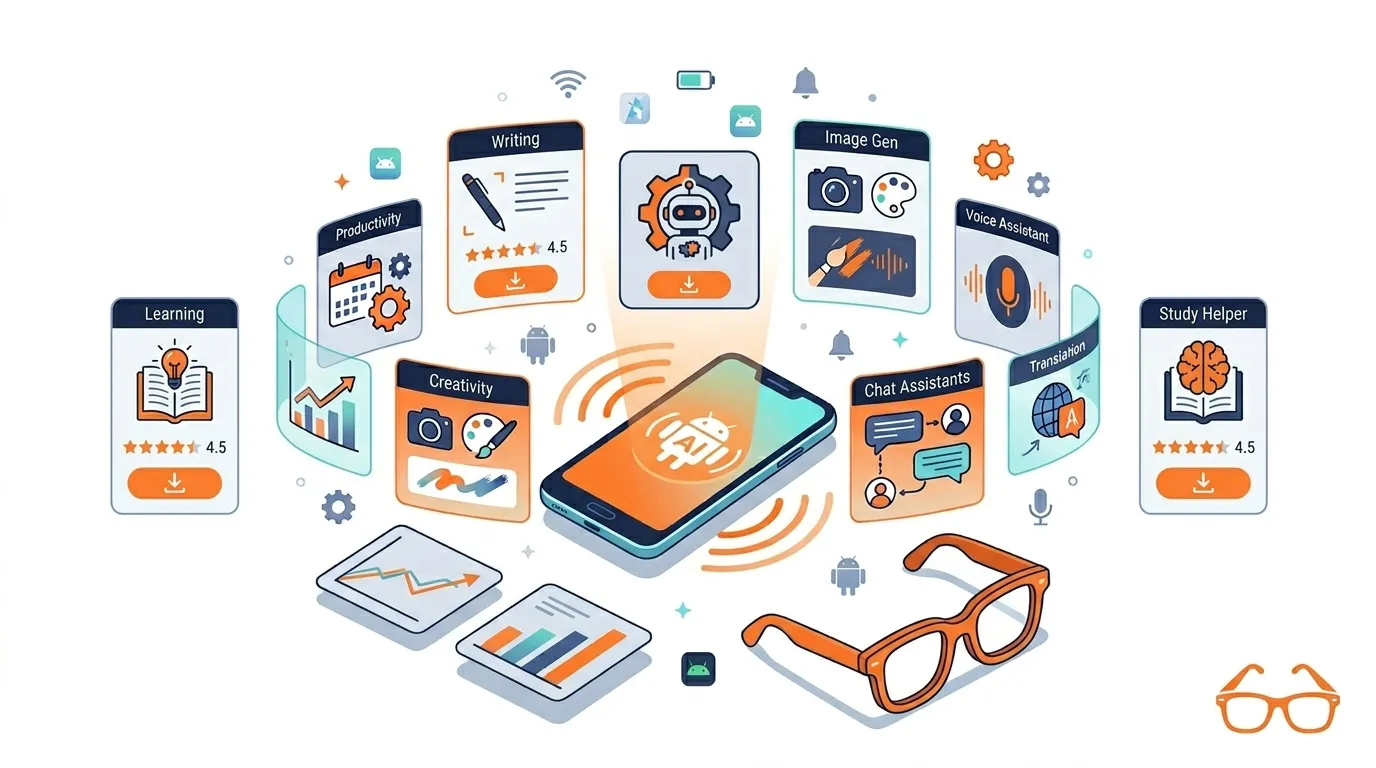
Android has a flood of AI apps right now. However, most of them are only partly free. Some hide everything useful behind a paywall after three messages. Others burn through daily credits before you have even had your morning coffee. And a few are simply repackaged chatbots with a $9.99 subscription banner waiting at every corner.
So here is the honest version. This guide covers the best free AI apps for Android in 2026 — organized by what they actually do, clearly labeled for what is genuinely free versus what gets paywalled, and tested against the one question that matters most: is the free tier actually usable?
Quick Picks: Best Android AI for Every Need
If you are in a hurry, start here. These are the top picks by category before the full breakdown.
- ChatGPT — Best all-around free AI assistant for Android
- Google Gemini — Best for Android system integration and Google apps
- Perplexity AI — Best for research with cited, source-backed answers
- Microsoft Copilot — Best for free access to GPT-level quality
- Adobe Firefly — Best free AI image generator for safe commercial use
- Otter.ai — Best for meeting notes and voice transcription
- Google Lens — Best genuinely free AI utility app on any Android
- Pydroid — Best free AI coding app for Android beginners
Comparison Table
| App | Category | Best For | Free Plan | Paywall Risk | Android Integration |
|---|---|---|---|---|---|
| ChatGPT | Chatbot | General assistant | ✅ Generous | Low | Widget, voice mode |
| Google Gemini | Chatbot | Google ecosystem | ✅ Good | Low | Deep Android integration |
| Perplexity AI | Research | Cited answers | ✅ Good | Medium | Voice, cited threads |
| Microsoft Copilot | Chatbot | GPT-4 quality free | ✅ Generous | Low | Microsoft apps |
| Claude | Chatbot | Writing and analysis | ✅ Limited | Medium | Basic |
| Meta AI | Chatbot | Casual use | ✅ Unlimited | Low | Social apps |
| Adobe Firefly | Image AI | Commercial images | ✅ Limited credits | Medium | Basic |
| Canva AI | Image AI | Design and social | ✅ Limited | Medium | Share sheet |
| Bing Image Creator | Image AI | Quick generation | ✅ Limited boosts | Low | Basic |
| Grammarly | Writing | Editing and polish | ✅ Basic | Medium | System keyboard |
| QuillBot | Writing | Paraphrasing | ✅ Limited | Medium | Basic |
| Otter.ai | Voice | Meeting notes | ✅ Limited minutes | Medium | Basic |
| Google Recorder | Voice | Lectures and calls | ✅ Free | Low | Deep (Pixel/Android) |
| Pydroid | Coding | Python on Android | ✅ Free | Low | Offline capable |
| Google Lens | Utility | Camera AI | ✅ Fully free | None | Deep Android |
Best Free AI Chatbot Apps for Android
This is the category most people care about first — and it is also where the free vs. freemium line gets blurriest. Here is what each app actually gives you without paying.
ChatGPT
Play Store Rating: 4.7 ⭐ | Downloads: 1B+
ChatGPT remains the strongest all-around free chatbot on Android. The free tier includes basic conversation, image uploads, photo analysis, voice mode, and even some image generation. It also syncs across devices so your conversations do not disappear when you switch from phone to laptop.
The catch is model tiering. Free users get GPT-4o mini for most interactions, with limited access to the full GPT-4o model during off-peak hours. In practice, this means the free tier is genuinely useful for writing, brainstorming, and Q&A — but heavy users will hit limits.
Best Android feature: Home screen widget for instant questions without opening the app.
Google Gemini
Google Gemini is the best choice for anyone living inside the Google ecosystem. It connects directly to Gmail, Google Drive, Google Keep, and Google Maps — meaning it can actually read your emails, summarize documents from your Drive, and set reminders without copying and pasting anything.
That level of Android integration is something no other chatbot on this list can match. As a result, for Android users specifically, Gemini feels like an upgrade to the built-in assistant rather than a separate app.
Best Android feature: Gemini Live — a real-time voice conversation mode that feels genuinely natural.
Perplexity AI
Play Store Rating: 4.6 ⭐ | Downloads: 100M+
Perplexity is built differently from the others. Rather than generating answers from training data, it searches the web in real time and gives you cited answers with numbered source links. Every claim is traceable, which makes it the most reliable free research tool on this list.
The free tier includes unlimited basic searches, a voice input mode, a “discover” feed, and threaded follow-up questions. Pro searches — which use more powerful models — are limited on the free plan but still available daily.
Best Android feature: Follow-up threads that remember your question context, plus a cited answer library you can revisit.
Microsoft Copilot
Here is the hidden gem of the free Android AI world. Microsoft Copilot gives you access to GPT-4 and even GPT-5 class models at no cost, subsidized by Microsoft’s enterprise business. For most everyday tasks — writing, summarizing, explaining, Q&A — you get genuinely top-tier AI responses without paying a cent.
It also includes free DALL-E image generation, which makes it unusually powerful for a free app. The main limitation is that it does not have the same deep Android integration as Gemini.
Best Android feature: Free image generation without a separate account or app.
Claude
Claude is the strongest free option for writing-heavy tasks. The output reads noticeably more natural than most competitors — email drafts, blog outlines, long-form summaries. The free tier has tighter message limits than ChatGPT, so it works best when you have specific, high-value tasks rather than casual back-and-forth.
One useful detail: Claude includes controls for managing your data usage and privacy preferences, which is more transparency than most chatbot apps offer.
Meta AI
Meta AI runs on Llama 4 and lives inside WhatsApp, Instagram, Messenger, and Facebook. If you use any of those apps — and most Android users do — Meta AI is the easiest free AI tool to access because it requires no new app, no new account, and no setup. Just open WhatsApp and start chatting.
The quality is good for casual tasks. For complex reasoning or professional writing, however, it falls short of ChatGPT and Claude.
Poe
Poe lets you switch between multiple AI models — including GPT-4o, Claude, and Gemini — inside a single app. The free tier gives you limited daily messages across different bots. For users who want to experiment with several models without installing five separate apps, Poe is worth having.
Best Free AI Image Generator Apps for Android
The most important thing to understand about free AI image apps is that “free” almost always means “limited credits” rather than unlimited generation. Here is how each option actually performs.
Adobe Firefly
Adobe Firefly is the best choice if you plan to use your generated images for any kind of work or content. Adobe trains Firefly exclusively on licensed imagery, which means the outputs are commercially safe — no copyright grey areas. Furthermore, the free tier gives you a monthly credit allowance that resets automatically.
Watermark on free: No. Commercial use: Yes.
Bing Image Creator
Bing Image Creator is the fastest way to generate images on Android without any complex setup. Simply log in with a Microsoft account, type a prompt, and images appear in about ten seconds. The weekly boost credits reset automatically, making it a reliable backup tool.
Watermark on free: No visible watermark. Commercial use: Not clearly permitted — personal use only.
Dream by WOMBO
Dream by WOMBO is beginner-friendly and fast. It works well for artistic and abstract styles but struggles with realistic or detailed subjects. The free tier adds a watermark on downloads in some export modes, so check before you commit.
NightCafe
NightCafe uses a daily credit system that also lets you earn additional credits through the community. For users willing to engage with the platform, this effectively extends the free tier considerably. Additionally, image quality is solid, particularly for artistic styles.
Canva AI
Canva AI is best understood as a design tool with AI built in rather than a pure image generator. If you need a social media post, presentation slide, or thumbnail — not just a raw image — Canva is the most practical option. The AI generation credits are limited on the free plan, but the overall design tools are generous.
Best Free AI Writing and Productivity Apps
Grammarly
Grammarly is one of the most genuinely useful free Android apps because it works as a system-wide keyboard. That means it checks your writing inside WhatsApp, Gmail, Google Docs, and virtually any other app where you type. The free tier covers grammar, spelling, and basic clarity suggestions — which covers 80% of what most people need.
Advanced tone suggestions, plagiarism checks, and full rewrites require the paid plan. Nevertheless, for basic everyday writing, the free tier is excellent.
QuillBot
QuillBot is the best free paraphrasing tool on Android. It rewrites text in different tones — standard, formal, creative, shorten, expand — with a word limit on the free plan. For students rewriting notes or professionals simplifying reports, it is genuinely useful within those limits.
Notion AI
Notion AI is worth using if you already keep notes and tasks in Notion. The AI features inside Notion — summarizing pages, generating content, answering questions about your notes — work well. However, if you do not already use Notion, the learning curve makes it a slow start.
Otter.ai
Otter transcribes speech in real time and generates meeting summaries automatically. The free tier gives you a limited number of transcription minutes per month — enough for occasional meetings but not daily use. For students recording lectures, in particular, Otter is one of the most practical free tools available.
Speechify
Speechify converts text into audio — articles, PDFs, emails — using AI voices. The free tier is limited to basic voice quality and slower speeds. Even so, for commuters who want to listen to content rather than read it, the free version still works reasonably well for short pieces.
Best Free AI Voice and Transcription Apps
Google Recorder
If you have a modern Android phone, Google Recorder is the best free transcription app available — and it is already installed. On supported devices, it transcribes speech in real time, works offline, and does not send your audio to the cloud. That combination of privacy, accuracy, and zero cost is genuinely hard to beat.
Offline: Yes (on supported devices). Free minutes: Effectively unlimited.
Otter.ai
Already mentioned in the writing tools section — but worth repeating here for its meeting-specific features. The automated summary generation after a meeting is particularly useful, turning a 45-minute conversation into a readable five-point summary.
Whisper-Based Apps
Several third-party Android apps use OpenAI’s Whisper model for transcription. Quality is generally high, and some offer local processing. The experience varies significantly by app, so check reviews carefully — the underlying model is strong but the app wrappers range from excellent to barely functional.
Fireflies.ai Mobile
Fireflies is designed for teams that have recurring meetings. It records, transcribes, and organizes meetings by topic, speaker, and action item. The free plan is limited but functional for light use. For solo users or students, though, Otter is a better fit.
Best Free AI Coding Apps for Android
Pydroid
Pydroid is the most practical free coding app for Android. It runs Python directly on your device — no internet connection required — and includes package support for common libraries. For students learning Python or developers who want to test scripts on the go, it is the closest thing to a real development environment on a phone.
Offline: Yes. Beginner-friendly: Yes.
Replit Mobile
Replit lets you code in a browser-based environment from your phone, supporting dozens of languages. The AI features inside Replit help with code completion and debugging. The collaborative features make it useful for group projects. However, it requires a stable internet connection — everything runs in the cloud.
Sololearn
Sololearn is the best starting point for complete beginners. It combines structured lessons with an AI practice partner that responds to your code and explains errors. If you want to learn to code rather than already knowing how, Sololearn’s guided approach is much easier than jumping straight into Pydroid or Replit.
Best Free AI Utility Apps for Android
Google Lens
Google Lens is the most underrated free AI app on Android — and it comes pre-installed on most devices. Point your camera at text and it translates, copies, or searches it. Aim it at a plant and it identifies the species. Direct it at a product and it finds where to buy it. Point it at a math problem and it solves it step by step.
It is completely free, works offline for some functions, and requires no account beyond your Google login. For day-to-day usefulness, nothing on this list matches the practical value-per-tap of Google Lens.
Microsoft Math Solver
Microsoft Math Solver is one of the most criminally underrated free apps on this list. Take a photo of any math problem — algebra, calculus, trigonometry, statistics — and it solves it with a full step-by-step explanation. It is completely free with no credit limits, no paywall, and no watermarks.
For students at any level, it is arguably more useful than a calculator.
Socratic by Google
Socratic is built for students struggling with homework. You photograph a question, and the app breaks down the concept behind it with explanations, diagrams, and related resources. It covers a wide range of subjects — not just math. And like Google Lens, it is completely free.
Photomath
Photomath has a more polished interface than Microsoft Math Solver and does an excellent job explaining why each step works, not just what the answer is. The free tier covers most standard math problems. Advanced topics and animated explanations require the paid plan.
Google Recorder (Utility Context)
Mentioned earlier — but worth noting again here because it functions as a powerful utility tool beyond just meetings. On supported Pixel and Android devices, it transcribes phone calls, recordings, and lectures in real time with full offline processing. No other app on this list matches that combination.
Apps With the Most Aggressive Upsells — Avoid These
Some apps market themselves as free but immediately push hard for paid upgrades. Based on the research, these are the most common offenders.
Lensa AI — Free portrait generation is heavily limited. Within minutes of opening, most useful features require a subscription or one-time credit purchase.
Jasper Mobile — The free trial is genuinely useful, but the core writing features lock behind a paid plan very quickly. In practice, the mobile app is more of a demo than a functional free tool.
Generic “AI Chat” apps — Any app in the Play Store advertising “unlimited free AI chat” with no recognizable brand name almost always monetizes heavily through ads, credits, or a paywall after a few messages. If the app name is something like “AI Chat Pro” or “Chatbot Assistant,” approach with real skepticism.
The test is simple: if the free tier becomes useless within three minutes of using the app, it is not a free app — it is a trial.
Privacy and Battery: What Nobody Tells You
Most comparison articles skip this entirely. Here is what actually matters.
Which Apps Collect the Most Data
Google Gemini and Google Lens are deeply integrated with your Google account, which means your interactions contribute to Google’s broader data ecosystem. That is the tradeoff for the deep Android integration they offer.
Claude, on the other hand, includes explicit controls for data usage and gives users more visibility over what is stored. PocketPal AI — a more niche option not widely covered by competitors — runs AI models entirely on your device, meaning nothing leaves your phone at all.
Privacy ranking (approximate):
- Most private: PocketPal AI (fully offline, no cloud logging)
- Good privacy: Claude, Microsoft Copilot
- Standard: ChatGPT, Perplexity
- Lower privacy: Google Gemini, Google Lens (Google account integrated)
Battery and Storage Impact
Cloud-based AI apps like ChatGPT, Perplexity, and Gemini use almost no local processing — they send your prompt to a server and return the result. As a result, battery drain is minimal, similar to using a standard web app.
Local AI apps — like PocketPal AI or some Whisper-based transcription tools — run models directly on your device. A standard large language model requires roughly 6GB of storage and significant RAM in its full form. Through compression techniques, some apps reduce this to under 2GB, but even then, expect noticeable battery drain and slower responses on mid-range devices.
For most Android users, cloud-based apps are the practical choice. Local AI is better for privacy-sensitive use cases where you do not want your data leaving the device.
A Note on Permissions
Before installing any AI app, check what permissions it requests. A chatbot app asking for access to your contacts, location, or microphone when you never use voice features is a red flag. The major apps — Google, Microsoft, Anthropic, OpenAI — generally request only what they need. Smaller, unverified apps in the “AI chatbot” category often over-request permissions significantly.
Best Apps by Use Case
Not sure which to install first? Here is a direct decision guide.
“I want a general AI assistant for everyday questions”
→ ChatGPT or Google Gemini
“I need research help with real sources I can verify”
→ Perplexity AI
“I want to edit and improve my writing on my phone”
→ Grammarly (system keyboard) + QuillBot
“I am a student who needs help with homework”
→ Google Lens (everything) + Microsoft Math Solver (math) + Socratic (other subjects)
“I need to transcribe meetings or lectures”
→ Google Recorder (if supported) or Otter.ai
“I want to create images without watermarks”
→ Adobe Firefly or Bing Image Creator
“I am learning to code”
→ Sololearn (beginner) → Pydroid (intermediate)
“I care about privacy above everything else”
→ PocketPal AI (local model) or Claude (good privacy controls)
Frequently Asked Questions
What is the best free AI app for Android?
The best free AI app for Android depends on your use case. ChatGPT is the strongest all-around chatbot. Perplexity AI is best for research with cited sources. Google Gemini is best for users who want deep Android and Google ecosystem integration. For image creation, Adobe Firefly is the most reliable free option.
Which AI app is completely free on Android with no limits?
Very few AI apps are completely unlimited on the free tier. Google Lens and Microsoft Math Solver are the most useful truly free tools with no credit limits or paywalls. Most chatbot and image apps use freemium models with daily caps, credit systems, or feature restrictions on free plans.
Which free AI app is best for Android students?
For students, Perplexity AI is excellent for research. Additionally, Microsoft Math Solver and Photomath cover math step-by-step, while Socratic handles a range of homework subjects. ChatGPT and Google Gemini are useful for writing help, brainstorming, and summarizing notes.
Which free AI app is best for writing on Android?
ChatGPT is the strongest free writing assistant for drafting. Grammarly is better for editing and polishing existing text, as it works across all your Android apps as a keyboard. QuillBot is the best option for paraphrasing and simplification.
Do free AI apps on Android work offline?
Most cloud-based AI apps — ChatGPT, Gemini, Perplexity — require an internet connection to function. Google Recorder works offline for transcription on supported devices. PocketPal AI runs models locally and works fully offline. For the majority of popular AI apps, however, an internet connection is required.
Are free AI apps safe to install on Android?
Apps from established companies — Google, Microsoft, Adobe, OpenAI, Anthropic — installed directly from the Google Play Store are generally safe. The main concern is privacy rather than security. Always check app permissions before installing, and be cautious of lesser-known “AI chat” apps that request access to contacts, location, or background microphone use without a clear reason.
Which free AI app is best for generating images on Android?
Adobe Firefly offers the cleanest free image generation experience with no watermark and commercial use permitted. Bing Image Creator is fast and free with no visible watermark, though commercial use is less clear. For the most artistic or stylized results, NightCafe with its daily credit system is a solid free choice.
Which free AI app is best for transcription on Android?
Google Recorder is the best free transcription app for supported Android devices — it works offline and processes audio locally without sending it to the cloud. Otter.ai is the best mainstream option for meeting transcription with automatic summaries, though the free tier limits monthly minutes.
Final Picks: The Best Starter Stack for 2026
You do not need fifteen apps. Start with these four and you will cover 90% of what a free Android AI setup needs.
- Google Gemini — For phone control, quick answers, and Google app integration
- ChatGPT — For writing, brainstorming, and versatile everyday tasks
- Perplexity AI — For research, fact-checking, and anything that needs a reliable source
- Google Lens — For camera-based AI that works instantly on anything in front of you
Add Microsoft Copilot if you want free image generation, and Grammarly if writing quality matters in your daily work. That six-app combination covers chatbot, research, camera AI, writing assistance, and image creation — all free, all from reputable companies, all available right now on the Play Store.
The biggest mistake most people make is installing ten apps and using none of them consistently. Instead, pick the one that solves your most common problem first. Get comfortable with it. Then add the next one.
→ Start with Google Gemini or ChatGPT — both are free to download from the Google Play Store right now.
Last updated: May 2026 | NerdyAI.co — Geeking out on AI tools so you don’t have to.
Leave a Reply